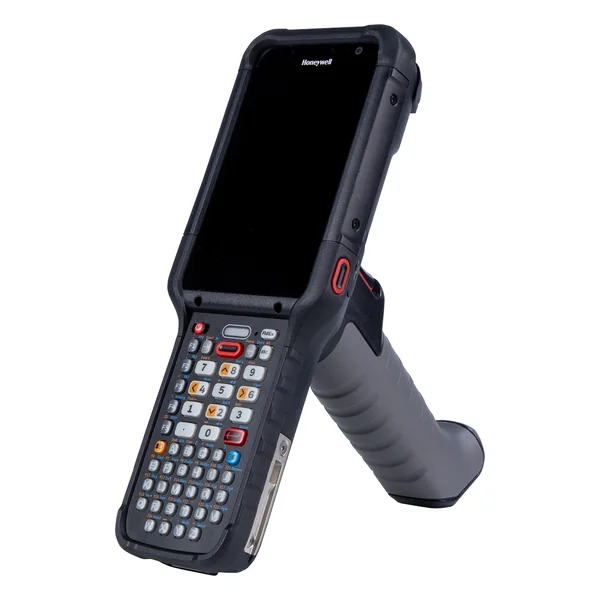
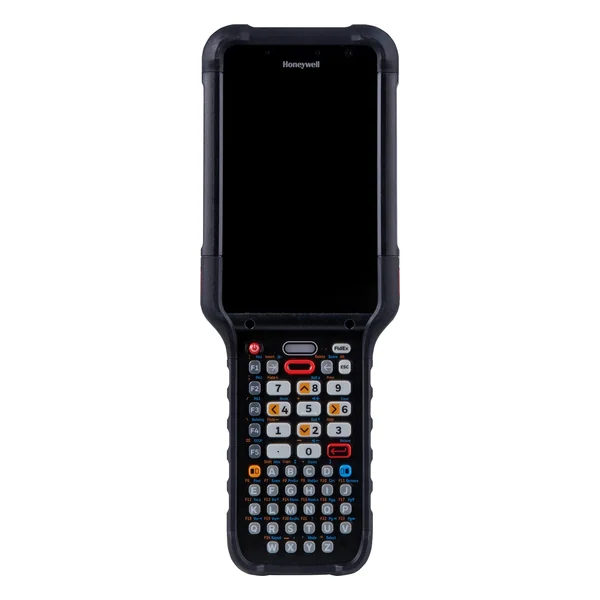
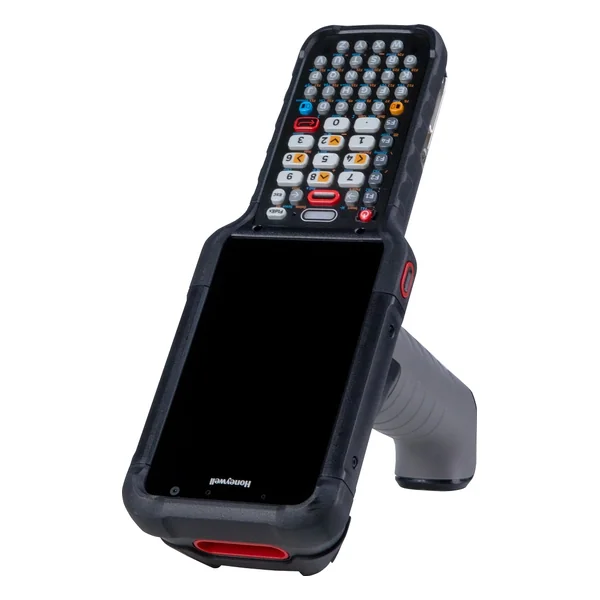
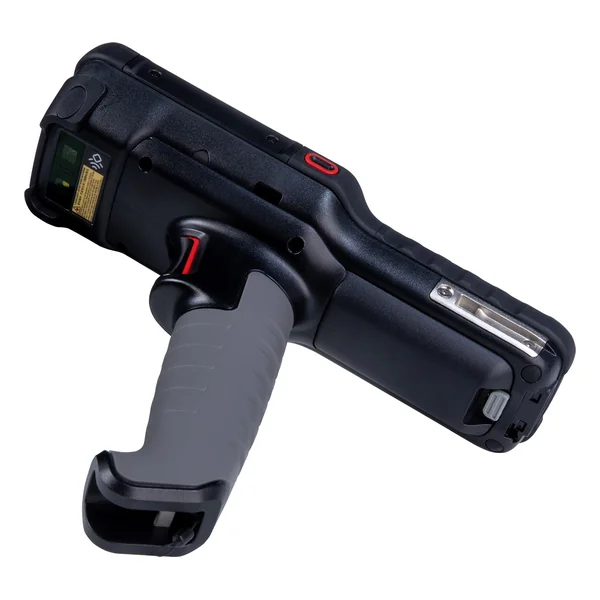
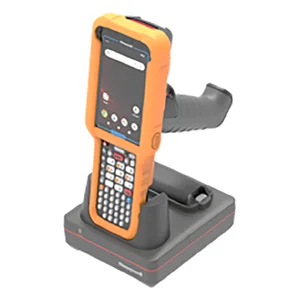
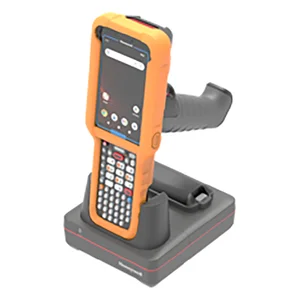
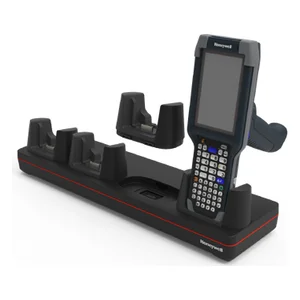
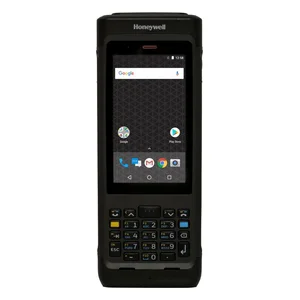
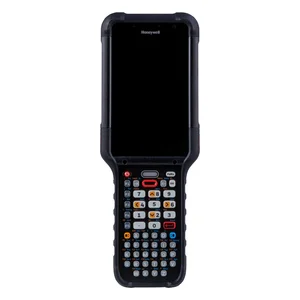
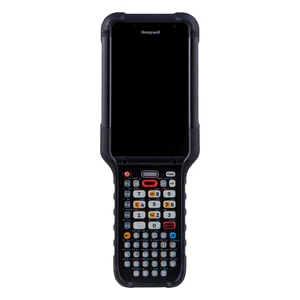
| CK67: WIFI6E, No Sim, 4.3 ́ Screen, 42-Key Numeric, 8GB/128GB, Standard Range Engine-Red Laser, Front & Rear Camera, Standard Battery, GMS, IP65/68, Standard Environment & Battery, No Gov Cert., Launcher/Browser/BasicTE, Global | CK67-X0N-57S1E0G | $4,071.00 Original price was: $4,071.00.$3,053.00Current price is: $3,053.00. |
| CK67: WIFI6E, No Sim, 4.3 ́ Screen, 51-Key Alphanumeric, 8GB/128GB, Standard Range Engine-Red Laser, Front & Rear Camera, Standard Battery, GMS, IP65/68, Standard Environment & Battery, No Gov Cert., Launcher/Browser/BasicTE, Global | CK67-X0N-57S1A0G | $4,071.00 Original price was: $4,071.00.$3,053.00Current price is: $3,053.00. |
| CK67: WIFI6E, No Sim, 4.3 ́ Screen, 53-Key Alphanumeric, 8GB/128GB, Standard Range Engine-Red Laser, Front & Rear Camera, Standard Battery, GMS, IP65/68, Standard Environment & Battery, No Gov Cert., Launcher/Browser/BasicTE, Global | CK67-X0N-57S1D0G | $4,071.00 Original price was: $4,071.00.$3,053.00Current price is: $3,053.00. |
| CK67: WIFI6E, No Sim, 4.3 ́ Screen, 31-Key Large Numeric, 8GB/128GB, Standard Range Engine-Red Laser, Front & Rear Camera, Standard Battery, GMS, IP65/68, Standard Environment & Battery, No Gov Cert., Launcher/Browser/BasicTE, Global | CK67-X0N-57S1C0G | $4,071.00 Original price was: $4,071.00.$3,053.00Current price is: $3,053.00. |
| CK67: WIFI6E, No Sim, 4.3 ́ Screen, 38-Key Numeric F-Key, 8GB/128GB, Standard Range Engine-Red Laser, Front & Rear Camera, Standard Battery, GMS, IP65/68, Standard Environment & Battery, No Gov Cert., Launcher/Browser/BasicTE, Global | CK67-X0N-57S1B0G | $4,071.00 Original price was: $4,071.00.$3,053.00Current price is: $3,053.00. |
| CK67: WIFI6E, No Sim, 4.3 ́ Screen, 42-Key Numeric, 8GB/128GB, FlexRange Engine-Green Laser, Front & Rear Camera, Standard Battery, GMS, IP65/68, Standard Environment & Battery, No Gov Cert., Launcher/Browser/BasicTE, Global | CK67-X0N-58S1E0G | $4,219.00 Original price was: $4,219.00.$3,164.00Current price is: $3,164.00. |
| CK67: WIFI6E, No Sim, 4.3 ́ Screen, 51-Key Alphanumeric, 8GB/128GB, FlexRange Engine-Green Laser, Front & Rear Camera, Standard Battery, GMS, IP65/68, Standard Environment & Battery, No Gov Cert., Launcher/Browser/BasicTE, Global | CK67-X0N-58S1A0G | $4,219.00 Original price was: $4,219.00.$3,164.00Current price is: $3,164.00. |
| CK67: WIFI6E, No Sim, 4.3 ́ Screen, 53-Key Alphanumeric, 8GB/128GB, FlexRange Engine-Green Laser, Front & Rear Camera, Standard Battery, GMS, IP65/68, Standard Environment & Battery, No Gov Cert., Launcher/Browser/BasicTE, Global | CK67-X0N-58S1D0G | $4,219.00 Original price was: $4,219.00.$3,164.00Current price is: $3,164.00. |
| CK67: WIFI6E, No Sim, 4.3 ́ Screen, 30-Key Large Numeric, 8GB/128GB, FlexRange Engine-Green Laser, Front & Rear Camera, Standard Battery, GMS, IP65/68, Standard Environment & Battery, No Gov Cert., Launcher/Browser/BasicTE, Global | CK67-X0N-58S1C0G | $4,219.00 Original price was: $4,219.00.$3,164.00Current price is: $3,164.00. |
| CK67: WIFI6E, No Sim, 4.3 ́ Screen, 38-Key Numeric F-Key, 8GB/128GB, FlexRange Engine-Green Laser, Front & Rear Camera, Standard Battery, GMS, IP65/68, Standard Environment & Battery, No Gov Cert., Launcher/Browser/BasicTE, Global | CK67-X0N-58S1B0G | $4,219.00 Original price was: $4,219.00.$3,164.00Current price is: $3,164.00. |
| CK67: WIFI6E, No Sim, 4.3 ́ Screen, 42-Key Numeric, 8GB/128GB, FlexRangeXLR Engine-Red Laser, Front & Rear Camera, Standard Battery, GMS, IP65/68, Standard Environment & Battery, No Gov Cert., Launcher/Browser/BasicTE, Global | CK67-X0N-5ES1E0G | $4,367.00 Original price was: $4,367.00.$3,275.00Current price is: $3,275.00. |
| CK67: WIFI6E, No Sim, 4.3 ́ Screen, 42-Key Numeric, 8GB/128GB, FlexRangeULR Engine-Green Laser, Front & Rear Camera, Standard Battery, GMS, IP65/68, Standard Environment & Battery, No Gov Cert., Launcher/Browser/BasicTE, Global | CK67-X0N-5FS1E0G | $4,367.00 Original price was: $4,367.00.$3,275.00Current price is: $3,275.00. |
| CK67: WIFI6E, No Sim, 4.3 ́ Screen, 51-Key Alphanumeric, 8GB/128GB, FlexRangeXLR Engine-Red Laser, Front & Rear Camera, Standard Battery, GMS, IP65/68, Standard Environment & Battery, No Gov Cert., Launcher/Browser/BasicTE, Global | CK67-X0N-5ES1A0G | $4,367.00 Original price was: $4,367.00.$3,275.00Current price is: $3,275.00. |
| CK67: WIFI6E, No Sim, 4.3 ́ Screen, 53-Key Alphanumeric, 8GB/128GB, FlexRangeXLR Engine-Red Laser, Front & Rear Camera, Standard Battery, GMS, IP65/68, Standard Environment & Battery, No Gov Cert., Launcher/Browser/BasicTE, Global | CK67-X0N-5ES1D0G | $4,367.00 Original price was: $4,367.00.$3,275.00Current price is: $3,275.00. |
| CK67: WIFI6E, No Sim, 4.3 ́ Screen, 30-Key Large Numeric, 8GB/128GB, FlexRangeXLR Engine-Red Laser, Front & Rear Camera, Standard Battery, GMS, IP65/68, Standard Environment & Battery, No Gov Cert., Launcher/Browser/BasicTE, Global | CK67-X0N-5ES1C0G | $4,367.00 Original price was: $4,367.00.$3,275.00Current price is: $3,275.00. |
| CK67: WIFI6E, No Sim, 4.3 ́ Screen, 38-Key Numeric F-Key, 8GB/128GB, FlexRangeXLR Engine-Red Laser, Front & Rear Camera, Standard Battery, GMS, IP65/68, Standard Environment & Battery, No Gov Cert., Launcher/Browser/BasicTE, Global | CK67-X0N-5ES1B0G | $4,367.00 Original price was: $4,367.00.$3,275.00Current price is: $3,275.00. |
| CK67: WIFI6E, No Sim, 4.3 ́ Screen, 51-Key Alphanumeric, 8GB/128GB, FlexRangeULR Engine-Green Laser, Front & Rear Camera, Standard Battery, GMS, IP65/68, Standard Environment & Battery, No Gov Cert., Launcher/Browser/BasicTE, Global | CK67-X0N-5FS1A0G | $4,367.00 Original price was: $4,367.00.$3,275.00Current price is: $3,275.00. |
| CK67: WIFI6E, No Sim, 4.3 ́ Screen, 53-Key Alphanumeric, 8GB/128GB, FlexRangeULR Engine-Green Laser, Front & Rear Camera, Standard Battery, GMS, IP65/68, Standard Environment & Battery, No Gov Cert., Launcher/Browser/BasicTE, Global | CK67-X0N-5FS1D0G | $4,367.00 Original price was: $4,367.00.$3,275.00Current price is: $3,275.00. |
| CK67: WIFI6E, No Sim, 4.3 ́ Screen, 30-Key Large Numeric, 8GB/128GB, FlexRangeULR Engine-Green Laser, Front & Rear Camera, Standard Battery, GMS, IP65/68, Standard Environment & Battery, No Gov Cert., Launcher/Browser/BasicTE, Global | CK67-X0N-5FS1C0G | $4,367.00 Original price was: $4,367.00.$3,275.00Current price is: $3,275.00. |
| CK67: WIFI6E, No Sim, 4.3 ́ Screen, 38-Key Numeric F-Key, 8GB/128GB, FlexRangeULR Engine-Green Laser, Front & Rear Camera, Standard Battery, GMS, IP65/68, Standard Environment & Battery, No Gov Cert., Launcher/Browser/BasicTE, Global | CK67-X0N-5FS1B0G | $4,367.00 Original price was: $4,367.00.$3,275.00Current price is: $3,275.00. |
| CK67: 5G&WIFI6E, 4.3 ́ Screen, 42-Key Numeric, 8GB/128GB, Standard Range Engine-Red Laser, Front&Rear Camera, Standard Battery, GMS, IP65/68, Standard, Launcher/Browser/BasicTE, Global | CK67-X1N-57S1E0G | $4,515.00 Original price was: $4,515.00.$3,386.00Current price is: $3,386.00. |
| CK67: 5G&WIFI6E, 4.3 ́ Screen, 51-Key Alphanumeric, 8GB/128GB, Standard Range Engine-Red Laser, Front&Rear Camera, Standard Battery, GMS, IP65/68, Standard, Launcher/Browser/BasicTE, Global | CK67-X1N-57S1A0G | $4,515.00 Original price was: $4,515.00.$3,386.00Current price is: $3,386.00. |
| CK67: 5G&WIFI6E, 4.3 ́ Screen, 53-Key Alphanumeric, 8GB/128GB, Standard Range Engine-Red Laser, Front&Rear Camera, Standard Battery, GMS, IP65/68, Standard, Launcher/Browser/BasicTE, Global | CK67-X1N-57S1D0G | $4,515.00 Original price was: $4,515.00.$3,386.00Current price is: $3,386.00. |
| CK67: 5G&WIFI6E, 4.3 ́ Screen, 31-Key Large Numeric, 8GB/128GB, Standard Range Engine-Red Laser, Front&Rear Camera, Standard Battery, GMS, IP65/68, Standard, Launcher/Browser/BasicTE, Global | CK67-X1N-57S1C0G | $4,515.00 Original price was: $4,515.00.$3,386.00Current price is: $3,386.00. |
| CK67: 5G&WIFI6E, 4.3 ́ Screen, 38-Key Numeric F-Key, 8GB/128GB, Standard Range Engine-Red Laser, Front&Rear Camera, Standard Battery, GMS, IP65/68, Standard, Launcher/Browser/BasicTE, Global | CK67-X1N-57S1B0G | $4,515.00 Original price was: $4,515.00.$3,386.00Current price is: $3,386.00. |
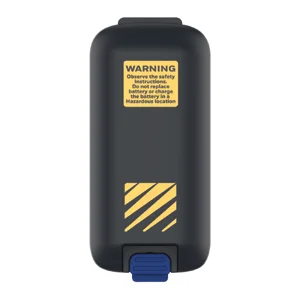
| CK67: WIFI6E, No Sim, 4.3 ́ Screen, 51-Key Alphanumeric, 8GB/128GB, FlexRange Engine-Green Laser, Front & Rear Camera, Standard Battery, GMS, IP65/68, ATEX/NI, No Gov Cert., Launcher/Browser/BasicTE, Global | CK67-X0N-58A1A1G | $4,515.00 Original price was: $4,515.00.$3,386.00Current price is: $3,386.00. |
| CK67: WIFI6E, No Sim, 4.3 ́ Screen, 31-Key Large Numeric, 8GB/128GB, FlexRange Engine-Green Laser, Front & Rear Camera, Standard Battery, GMS, IP65/68, ATEX/NI, No Gov Cert., Launcher/Browser/BasicTE, Global | CK67-X0N-58A1C1G | $4,515.00 Original price was: $4,515.00.$3,386.00Current price is: $3,386.00. |
| CK67: WIFI6E, No Sim, 4.3 ́ Screen, 38-Key Numeric F-Key, 8GB/128GB, FlexRange Engine-Green Laser, Front & Rear Camera, Standard Battery, GMS, IP65/68, ATEX/NI, No Gov Cert., Launcher/Browser/BasicTE, Global | CK67-X0N-58A1B1G | $4,515.00 Original price was: $4,515.00.$3,386.00Current price is: $3,386.00. |
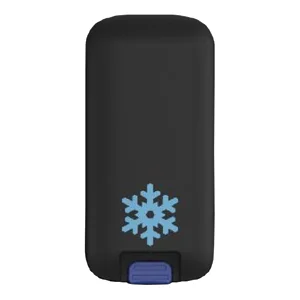
| CK67: WIFI6E, No Sim, 4.3 ́ Screen, 51-Key Alphanumeric, 8GB/128GB, FlexRange Engine-Green Laser, Front & Rear Camera, Standard Battery, GMS, IP65/68, Cold Storage, No Gov Cert., Launcher/Browser/BasicTE, Global | CK67-X0N-58C1A2G | $4,515.00 Original price was: $4,515.00.$3,386.00Current price is: $3,386.00. |
| CK67: WIFI6E, No Sim, 4.3 ́ Screen, 31-Key Large Numeric, 8GB/128GB, FlexRange Engine-Green Laser, Front & Rear Camera, Standard Battery, GMS, IP65/68, Cold Storage, No Gov Cert., Launcher/Browser/BasicTE, Global | CK67-X0N-58C1C2G | $4,515.00 Original price was: $4,515.00.$3,386.00Current price is: $3,386.00. |
| CK67: WIFI6E, No Sim, 4.3 ́ Screen, 38-Key Numeric F-Key, 8GB/128GB, FlexRange Engine-Green Laser, Front & Rear Camera, Standard Battery, GMS, IP65/68, Cold Storage, No Gov Cert., Launcher/Browser/BasicTE, Global | CK67-X0N-58C1B2G | $4,515.00 Original price was: $4,515.00.$3,386.00Current price is: $3,386.00. |
| CK67: WIFI6E, No Sim, 4.3 ́ Screen, 53-Key Alphanumeric, 8GB/128GB, FlexRange Engine-Green Laser, Front & Rear Camera, Standard Battery, GMS, IP65/68, Cold Storage, No Gov Cert., Launcher/Browser/BasicTE, Global | CK67-X0N-58C1D2G | $4,528.00 Original price was: $4,528.00.$3,396.00Current price is: $3,396.00. |
| CK67: 5G&WIFI6E, 4.3 ́ Screen, 42-Key Numeric, 8GB/128GB, FlexRange Engine-Green Laser, Front&Rear Camera, Standard Battery, GMS, IP65/68, Standard, Launcher/Browser/BasicTE, Global | CK67-X1N-58S1E0G | $4,663.00 Original price was: $4,663.00.$3,497.00Current price is: $3,497.00. |
| CK67: 5G&WIFI6E, 4.3 ́ Screen, 51-Key Alphanumeric, 8GB/128GB, FlexRange Engine-Green Laser, Front&Rear Camera, Standard Battery, GMS, IP65/68, Standard, Launcher/Browser/BasicTE, Global | CK67-X1N-58S1A0G | $4,663.00 Original price was: $4,663.00.$3,497.00Current price is: $3,497.00. |
| CK67: 5G&WIFI6E, 4.3 ́ Screen, 53-Key Alphanumeric, 8GB/128GB, FlexRange Engine-Green Laser, Front&Rear Camera, Standard Battery, GMS, IP65/68, Standard, Launcher/Browser/BasicTE, Global | CK67-X1N-58S1D0G | $4,663.00 Original price was: $4,663.00.$3,497.00Current price is: $3,497.00. |
| CK67: 5G&WIFI6E, 4.3 ́ Screen, 31-Key Large Numeric, 8GB/128GB, FlexRange Engine-Green Laser, Front&Rear Camera, Standard Battery, GMS, IP65/68, Standard, Launcher/Browser/BasicTE, Global | CK67-X1N-58S1C0G | $4,663.00 Original price was: $4,663.00.$3,497.00Current price is: $3,497.00. |
| CK67: 5G&WIFI6E, 4.3 ́ Screen, 38-Key Numeric F-Key, 8GB/128GB, FlexRange Engine-Green Laser, Front&Rear Camera, Standard Battery, GMS, IP65/68, Standard, Launcher/Browser/BasicTE, Global | CK67-X1N-58S1B0G | $4,663.00 Original price was: $4,663.00.$3,497.00Current price is: $3,497.00. |
| CK67: WIFI6E, No Sim, 4.3 ́ Screen, 42-Key Numeric, 8GB/128GB, FlexRangeULR Engine-Green Laser, Front & Rear Camera, Standard Battery, GMS, IP65/68, Cold Storage, No Gov Cert., Launcher/Browser/BasicTE, Global | CK67-X0N-5FC1E2G | $4,663.00 Original price was: $4,663.00.$3,497.00Current price is: $3,497.00. |
| CK67: WIFI6E, No Sim, 4.3 ́ Screen, 51-Key Alphanumeric, 8GB/128GB, FlexRangeXLR Engine-Red Laser, Front & Rear Camera, Standard Battery, GMS, IP65/68, Cold Storage, No Gov Cert., Launcher/Browser/BasicTE, Global | CK67-X0N-5EC1A2G | $4,663.00 Original price was: $4,663.00.$3,497.00Current price is: $3,497.00. |
| CK67: WIFI6E, No Sim, 4.3 ́ Screen, 31-Key Large Numeric, 8GB/128GB, FlexRangeXLR Engine-Red Laser, Front & Rear Camera, Standard Battery, GMS, IP65/68, Cold Storage, No Gov Cert., Launcher/Browser/BasicTE, Global | CK67-X0N-5EC1C2G | $4,663.00 Original price was: $4,663.00.$3,497.00Current price is: $3,497.00. |
| CK67: WIFI6E, No Sim, 4.3 ́ Screen, 38-Key Numeric F-Key, 8GB/128GB, FlexRangeXLR Engine-Red Laser, Front & Rear Camera, Standard Battery, GMS, IP65/68, Cold Storage, No Gov Cert., Launcher/Browser/BasicTE, Global | CK67-X0N-5EC1B2G | $4,663.00 Original price was: $4,663.00.$3,497.00Current price is: $3,497.00. |
| CK67: WIFI6E, No Sim, 4.3 ́ Screen, 51-Key Alphanumeric, 8GB/128GB, FlexRangeULR Engine-Green Laser, Front & Rear Camera, Standard Battery, GMS, IP65/68, Cold Storage, No Gov Cert., Launcher/Browser/BasicTE, Global | CK67-X0N-5FC1A2G | $4,663.00 Original price was: $4,663.00.$3,497.00Current price is: $3,497.00. |
| CK67: WIFI6E, No Sim, 4.3 ́ Screen, 53-Key Alphanumeric, 8GB/128GB, FlexRangeULR Engine-Green Laser, Front & Rear Camera, Standard Battery, GMS, IP65/68, Cold Storage, No Gov Cert., Launcher/Browser/BasicTE, Global | CK67-X0N-5FC1D2G | $4,663.00 Original price was: $4,663.00.$3,497.00Current price is: $3,497.00. |
| CK67: WIFI6E, No Sim, 4.3 ́ Screen, 31-Key Large Numeric, 8GB/128GB, FlexRangeULR Engine-Green Laser, Front & Rear Camera, Standard Battery, GMS, IP65/68, Cold Storage, No Gov Cert., Launcher/Browser/BasicTE, Global | CK67-X0N-5FC1C2G | $4,663.00 Original price was: $4,663.00.$3,497.00Current price is: $3,497.00. |
| CK67: WIFI6E, No Sim, 4.3 ́ Screen, 38-Key Numeric F-Key, 8GB/128GB, FlexRangeULR Engine-Green Laser, Front & Rear Camera, Standard Battery, GMS, IP65/68, Cold Storage, No Gov Cert., Launcher/Browser/BasicTE, Global | CK67-X0N-5FC1B2G | $4,663.00 Original price was: $4,663.00.$3,497.00Current price is: $3,497.00. |
| CK67: 5G&WIFI6E, 4.3 ́ Screen, 42-Key Numeric, 8GB/128GB, FlexRangeXLR Engine-Red Laser, Front&Rear Camera, Standard Battery, GMS, IP65/68, Standard, Launcher/Browser/BasicTE, Global | CK67-X1N-5ES1E0G | $4,811.00 Original price was: $4,811.00.$3,608.00Current price is: $3,608.00. |
| CK67: 5G&WIFI6E, 4.3 ́ Screen, 51-Key Alphanumeric, 8GB/128GB, FlexRangeXLR Engine-Red Laser, Front&Rear Camera, Standard Battery, GMS, IP65/68, Standard, Launcher/Browser/BasicTE, Global | CK67-X1N-5ES1A0G | $4,811.00 Original price was: $4,811.00.$3,608.00Current price is: $3,608.00. |
| CK67: 5G&WIFI6E, 4.3 ́ Screen, 53-Key Alphanumeric, 8GB/128GB, FlexRangeXLR Engine-Red Laser, Front&Rear Camera, Standard Battery, GMS, IP65/68, Standard, Launcher/Browser/BasicTE, Global | CK67-X1N-5ES1D0G | $4,811.00 Original price was: $4,811.00.$3,608.00Current price is: $3,608.00. |
| CK67: 5G&WIFI6E, 4.3 ́ Screen, 31-Key Large Numeric, 8GB/128GB, FlexRangeXLR Engine-Red Laser, Front&Rear Camera, Standard Battery, GMS, IP65/68, Standard, Launcher/Browser/BasicTE, Global | CK67-X1N-5ES1C0G | $4,811.00 Original price was: $4,811.00.$3,608.00Current price is: $3,608.00. |
| CK67: 5G&WIFI6E, 4.3 ́ Screen, 38-Key Numeric F-Key, 8GB/128GB, FlexRangeXLR Engine-Red Laser, Front&Rear Camera, Standard Battery, GMS, IP65/68, Standard, Launcher/Browser/BasicTE, Global | CK67-X1N-5ES1B0G | $4,811.00 Original price was: $4,811.00.$3,608.00Current price is: $3,608.00. |
| CK67: 5G&WIFI6E, No Sim, 4.3 ́ Screen, 42-Key Numeric, 8GB/128GB, FlexRangeULR Engine-Green Laser, Front & Rear Camera, Standard Battery, GMS, IP65/68, Standard Environment & Battery, No Gov Cert., Launcher/Browser/BasicTE, Global | CK67-X1N-5FS1E0G | $4,811.00 Original price was: $4,811.00.$3,608.00Current price is: $3,608.00. |
| CK67: 5G&WIFI6E, No Sim, 4.3 ́ Screen, 51-Key Alphanumeric, 8GB/128GB, FlexRangeULR Engine-Green Laser, Front & Rear Camera, Standard Battery, GMS, IP65/68, Standard Environment & Battery, No Gov Cert., Launcher/Browser/BasicTE, Global | CK67-X1N-5FS1A0G | $4,811.00 Original price was: $4,811.00.$3,608.00Current price is: $3,608.00. |
| CK67: 5G&WIFI6E, No Sim, 4.3 ́ Screen, 53-Key Alphanumeric, 8GB/128GB, FlexRangeULR Engine-Green Laser, Front & Rear Camera, Standard Battery, GMS, IP65/68, Standard Environment & Battery, No Gov Cert., Launcher/Browser/BasicTE, Global | CK67-X1N-5FS1D0G | $4,811.00 Original price was: $4,811.00.$3,608.00Current price is: $3,608.00. |
| CK67: 5G&WIFI6E, No Sim, 4.3 ́ Screen, 30-Key Large Numeric, 8GB/128GB, FlexRangeULR Engine-Green Laser, Front & Rear Camera, Standard Battery, GMS, IP65/68, Standard Environment & Battery, No Gov Cert., Launcher/Browser/BasicTE, Global | CK67-X1N-5FS1C0G | $4,811.00 Original price was: $4,811.00.$3,608.00Current price is: $3,608.00. |
| CK67: 5G&WIFI6E, No Sim, 4.3 ́ Screen, 38-Key Numeric F-Key, 8GB/128GB, FlexRangeULR Engine-Green Laser, Front & Rear Camera, Standard Battery, GMS, IP65/68, Standard Environment & Battery, No Gov Cert., Launcher/Browser/BasicTE, Global | CK67-X1N-5FS1B0G | $4,811.00 Original price was: $4,811.00.$3,608.00Current price is: $3,608.00. |
| CK67: 5G&WIFI6E, Nano & ESim, 4.3 ́ Screen, 51-Key Alphanumeric, 8GB/128GB, FlexRange Engine-Green Laser, Front & Rear Camera, Standard Battery, GMS, IP65/68, ATEX/NI, No Gov Cert., Launcher/Browser/BasicTE, Global | CK67-X1N-58A1A1G | $4,959.00 Original price was: $4,959.00.$3,719.00Current price is: $3,719.00. |
| CK67: 5G&WIFI6E, Nano & ESim, 4.3 ́ Screen, 31-Key Large Numeric, 8GB/128GB, FlexRange Engine-Green Laser, Front & Rear Camera, Standard Battery, GMS, IP65/68, ATEX/NI, No Gov Cert., Launcher/Browser/BasicTE, Global | CK67-X1N-58A1C1G | $4,959.00 Original price was: $4,959.00.$3,719.00Current price is: $3,719.00. |
| CK67: 5G&WIFI6E, Nano & ESim, 4.3 ́ Screen, 38-Key Numeric F-Key, 8GB/128GB, FlexRange Engine-Green Laser, Front & Rear Camera, Standard Battery, GMS, IP65/68, ATEX/NI, No Gov Cert., Launcher/Browser/BasicTE, Global | CK67-X1N-58A1B1G | $4,959.00 Original price was: $4,959.00.$3,719.00Current price is: $3,719.00. |