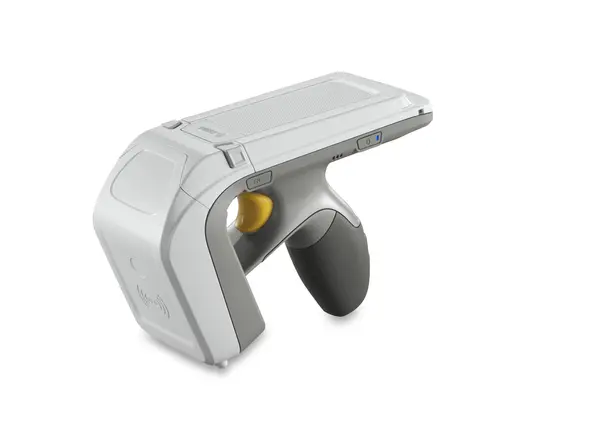
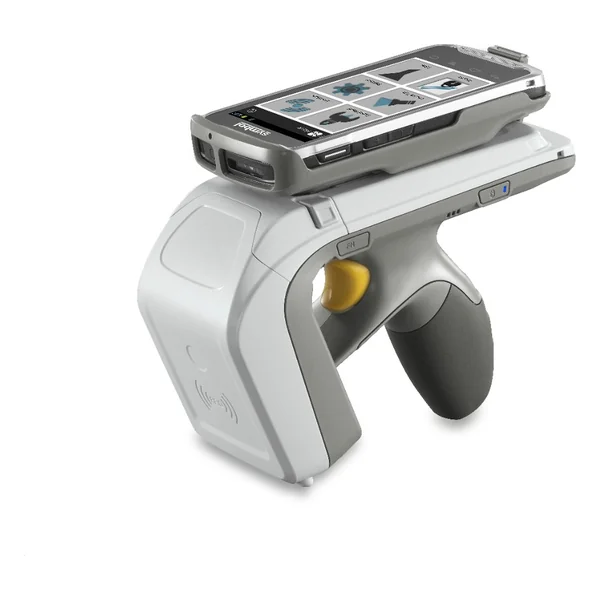
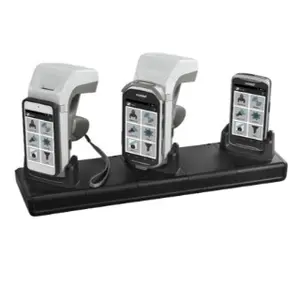
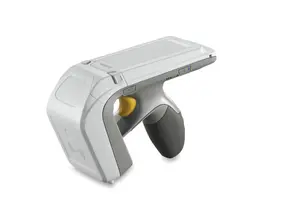
With the RFD8500 sled, you can empower select Zebra and compatible third-party mobile devices, tablets and smart phones with enterprise-class UHF RFID and 1D/2D bar code scanning technology, simply, easily and cost-effectively. With the RFD8500, you can empower select Zebra and compatible third-party mobile devices, tablets and smart phones with enterprise-class UHF RFID and 1D/2D bar code scanning technology, whenever and wherever you need it — simply, easily and cost-effectively. You get unparalled enterprise-class performance— workers can capture tags and bar codes faster and with ease, improving productivity, operational efficiency and customer service. It’s easy to use — workers can simply tap on a button to switch between RFID and bar code scanning modes on the fly. And you get flexible deployment options to meet your specific business needs. Just pair this Bluetooth-enabled sled with your mobile device and attach the mobile device to the RFD8500 for a single-handed RFID reader solution — or put the mobile device in a pocket or holster and use the RFD8500 in standalone mode. With support for select iOS and Android devices, the RFD8500 is the easy way to add business-class RFID and bar code scanning to your mobile devices.
With the RFD8500, you can empower select Zebra and compatible third-party mobile devices, tablets and smart phones with enterprise-class UHF RFID and 1D/2D bar code scanning technology, whenever and wherever you need it — simply, easily and cost-effectively. You get unparalled enterprise-class performance— workers can capture tags and bar codes faster and with ease, improving productivity, operational efficiency and customer service. It’s easy to use — workers can simply tap on a button to switch between RFID and bar code scanning modes on the fly. You get flexible deployment options to meet your specific business needs. Permanently attach to a compatible mobile device to create a dedicated inventory management device. Temporarily attach to enable RFID when and where you need it on the mobile device of your choice, bringing comfort to inventory management tasks; deploy as separate devices — workers can put the host mobile computer in a pocket or on a desk to protect the device and create a lighter RFID solution. Our unique power-optimizing algorithm delivers the superior battery cycle times that ensure full-shift power, even with intensive usage. Bluetooth® connectivity provides a real-time wireless connection to your applications. And if a wireless connection is not available, support for batch mode keeps your workers productive. With our powerful Zebra Easy Text Interface (ZETI), enabling the capture of RFID tags and bar codes couldn’t be easier. ZETI enables the RFD8500 to communicate directly with the host — no need to create an actual application.
You get unparalleled enterprise-class performance— workers can capture tags and bar codes faster and with ease, improving productivity, operational efficiency and customer service. It’s easy to use — workers can simply tap on a button to switch between RFID and bar code scanning modes on the fly. You get flexible deployment options to meet your specific business needs. Permanently attach to a compatible mobile device to create a dedicated inventory management device. Temporarily attach to enable RFID when and where you need it on the mobile device of your choice, bringing comfort to inventory management tasks; deploy as separate devices — workers can put the host mobile computer in a pocket or on a desk to protect the device and create a lighter RFID solution. Our unique power-optimizing algorithm delivers the superior battery cycle times that ensure full-shift power, even with intensive usage. Bluetooth® connectivity provides a real-time wireless connection to your applications. And if a wireless connection is not available, support for batch mode keeps your workers productive. With our powerful Zebra Easy Text Interface (ZETI), enabling the capture of RFID tags and bar codes couldn’t be easier. ZETI enables the RFD8500 to communicate directly with the host — no need to create an actual application.