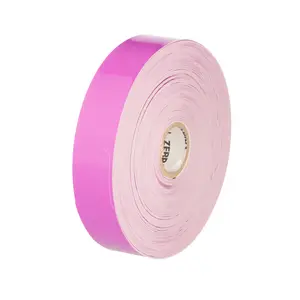
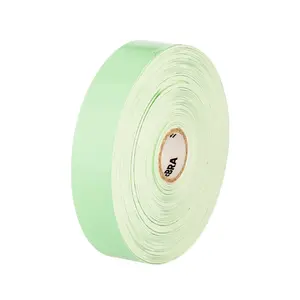
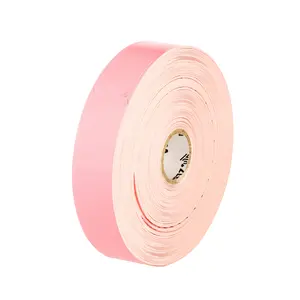
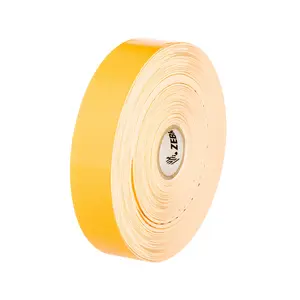
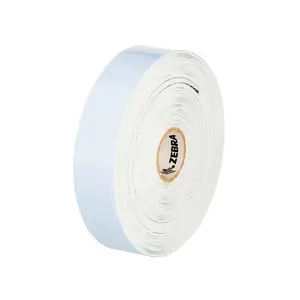
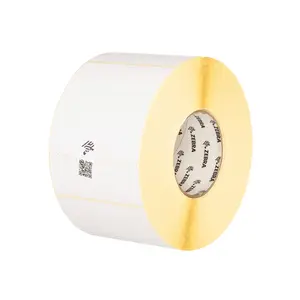
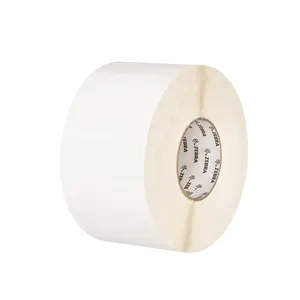
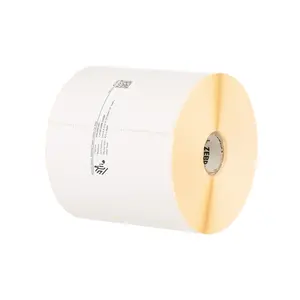
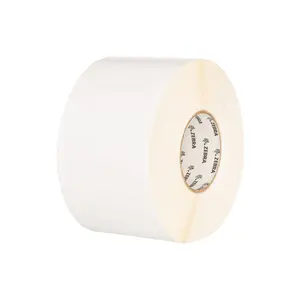
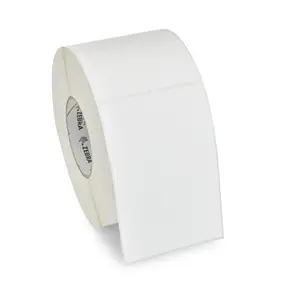
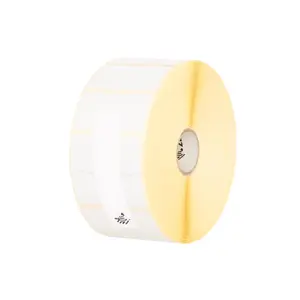
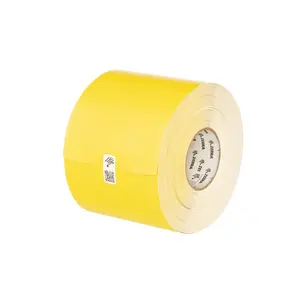
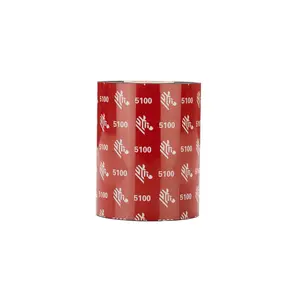
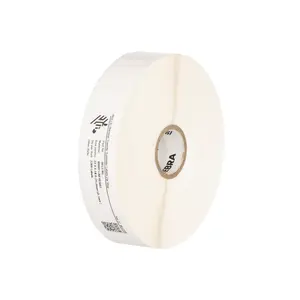
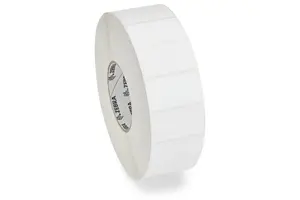
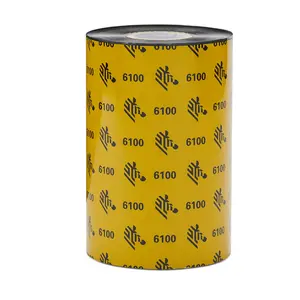
| Label, Paper, 1.25x1 (31.8mm x 25.4mm); DT, Z-Perform 2000D, Value Coated, All-Temp Adhesive, 1" (25.4mm) core, 2340/roll, 6/box, Plain | 10015784 | $61.00 Original price was: $61.00.$49.00Current price is: $49.00. |
| Label, Paper, 1.25" x 1" (31.8mm x 25.4mm); TT, Z-Select 4000T, High Performance Coated, Permanent Adhesive, 1" (25.4mm) core, 2580/roll, 6/box, Plain | 10009523 | $61.00 Original price was: $61.00.$49.00Current price is: $49.00. |
| Label, Paper, 3.5" x 1.5" (88.9mm x 38.1mm); TT, Z-Select 4000T, High Performance Coated, Permanent Adhesive, 1" (25.4mm) core, 1570/roll, Kit, Plain | HC10000665K | $62.00 Original price was: $62.00.$50.00Current price is: $50.00. |
| Label, Paper, 1.1875" x 0.8438" (30.2mm x 21.4mm); TT, Z-Select 4000T, High Performance Coated, Permanent Adhesive, 1" (25.4mm) core, 3000/roll, 6/box, Plain | 10009522 | $68.00 Original price was: $68.00.$54.00Current price is: $54.00. |
| Label, Paper, 2" x 1" (50.8mm x 25.4mm); DT, Z-Perform 1000D, Value Uncoated, Permanent Adhesive, 1" (25.4mm) core, 2340/roll, 6/box, Plain | 10026381 | $69.00 Original price was: $69.00.$55.00Current price is: $55.00. |
| Label, Paper, 1.25x1 (31.8mm x 25.4mm); DT, Z-Select 4000D, High Performance Coated, All-Temp Adhesive, 1" (25.4mm) core, 2340/roll, 6/box, Plain | 10010038 | $75.00 Original price was: $75.00.$60.00Current price is: $60.00. |
| Label, Paper, 4" x 6" (101.6mm x 152.4mm); TT, Z-Perform 1500T, Coated, Permanent Adhesive, 3" (76.2mm) core, 1000/roll, 4/box, Plain | 10018340 | $76.00 Original price was: $76.00.$61.00Current price is: $61.00. |
| Label, Paper, 1.1875" x 0.843"8" (30.2mm x 21.4mm); DT, Z-Select 4000D, High Performance Coated, All-Temp Adhesive, 1" (25.4mm) core, 2710/roll, 6/box, Plain | 10010037 | $80.00 Original price was: $80.00.$64.00Current price is: $64.00. |
| Label, Paper, 4" x 6" (101.6mm x 152.4mm); TT, Z-Perform 2000T, Value Coated, Permanent Adhesive, 1" (25.4mm) core, 460/roll, 6/box | 10005853 | $81.00 Original price was: $81.00.$65.00Current price is: $65.00. |
| Label, Paper, 4" x 6" (101.6mm x 152.4mm); DT, Z-Perform 1000D, Value Uncoated, Permanent Adhesive, 1" (25.4mm) core, 430/roll, 6/box, Plain | 10026382 | $85.00 Original price was: $85.00.$68.00Current price is: $68.00. |
| Label, Paper, 4" x 8" (101.6mm x 203.2mm); TT, Coated, Permanent Adhesive, 3" (76.2mm) core, 750/roll, 4/box, Plain | 10021228 | $86.00 Original price was: $86.00.$69.00Current price is: $69.00. |
| Label, Paper, 3" x 2" (76.2mm x 50.8mm); DT, Z-Perform 1000D, Value Uncoated, Permanent Adhesive, 1" (25.4mm) core, 1240/roll, 6/box, Plain | 10026378 | $86.00 Original price was: $86.00.$69.00Current price is: $69.00. |
| Label, Paper, 4" x 6.5" (101.6mm x 165.1mm); TT, Coated, Permanent Adhesive, 3" (76.2mm) core, 900/roll, 4/box, Plain | 10021229 | $87.00 Original price was: $87.00.$70.00Current price is: $70.00. |
| Label, Paper, 4" x 4" (101.6mm x 101.6mm); TT, Coated, Permanent Adhesive, 3" (76.2mm) core, 1500/roll, 4/box, Plain | 10021230 | $89.00 Original price was: $89.00.$71.00Current price is: $71.00. |
| Label, Paper, 2" x 1" (50.8mm x 25.4mm); TT, Z-Perform 2000T, Value Coated, Permanent Adhesive, 1" (25.4mm) core, 2490/roll, 6/box | 10005850 | $88.00 Original price was: $88.00.$71.00Current price is: $71.00. |
| Label, Paper, 4" x 6" (101.6mm x 152.4mm); TT, Z-Perform 2000T, Value Coated, Permanent Adhesive, 3" (76.2mm) core, 1000/roll, 4/box, Plain | 10000281 | $91.00 Original price was: $91.00.$73.00Current price is: $73.00. |
| Label, Paper, 2.75" x 1.2"5" (69.9mm x 31.8mm); TT, Z-Select 4000T, High Performance Coated, Permanent Adhesive, 1" (25.4mm) core, 1850/roll, 4/box | 83260 | $92.00 Original price was: $92.00.$74.00Current price is: $74.00. |
| Label, Paper, 4" x 3" (101.6mm x 76.2mm); DT, Z-Perform 1000D, Value Uncoated, Permanent Adhesive, 1" (25.4mm) core, 840/roll, 6/box, Plain | 10026380 | $94.00 Original price was: $94.00.$75.00Current price is: $75.00. |
| Label, Paper, 4" x 2" (101.6mm x 50.8mm); DT, Z-Perform 1000D, Value Uncoated, Permanent Adhesive, 1" (25.4mm) core, 1240/roll, 6/box, Plain | 10026379 | $94.00 Original price was: $94.00.$75.00Current price is: $75.00. |
| Label, Paper, 4" x 1" (101.6mm x 25.4mm); TT, Z-Select 4000T, High Performance Coated, Permanent Adhesive, 1" (25.4mm) core, 2260/roll, 4/box | 83340 | $94.00 Original price was: $94.00.$75.00Current price is: $75.00. |
| Label, Paper, 4" x 3" (101.6mm x 76.2mm); TT, Z-Perform 1500T, Coated, Permanent Adhesive, 3" (76.2mm) core, 2000/roll, 4/box, Plain | 10018349 | $95.00 Original price was: $95.00.$76.00Current price is: $76.00. |
| Label, Paper, 2" x 0.5" (50.8mm x 12.7mm); TT, Z-Perform 2000T, Value Coated, Permanent Adhesive, 3" (76.2mm) core, 3000/roll, 4/box, Plain | 10022942 | $98.00 Original price was: $98.00.$78.00Current price is: $78.00. |
| Label, Paper, 1" x 3" (25.4mm x 76.2mm); DT, Z-Select 4000D, High Performance Coated, All-Temp Adhesive, 1" (25.4mm) core, 840/roll, 6/box, Plain | 10010036 | $98.00 Original price was: $98.00.$79.00Current price is: $79.00. |
| Label, Paper, 2" x 1" (50.8mm x 25.4mm); DT, Z-Select 4000D, High Performance Coated, All-Temp Adhesive, 1" (25.4mm) core, 2340/roll, 4/box, Plain | 10010039 | $98.00 Original price was: $98.00.$79.00Current price is: $79.00. |
| Label, Paper, 2.25" x 4" (57.2mm x 101.6mm); TT, Z-Select 4000T, High Performance Coated, Permanent Adhesive, 1" (25.4mm) core, 700/roll, 6/box, Plain | 10009527 | $99.00 Original price was: $99.00.$79.00Current price is: $79.00. |
| Label, Paper, 4" x 2" (101.6mm x 50.8mm); TT, Z-Perform 2000T, Value Coated, Permanent Adhesive, 3" (76.2mm) core, 2750/roll, 4/box | 10000285 | $100.00 Original price was: $100.00.$80.00Current price is: $80.00. |
| Label, Paper, 4" x 2" (101.6mm x 50.8mm); TT, Z-Perform 1500T, Coated, Permanent Adhesive, 3" (76.2mm) core, 3000/roll, 4/box, Plain | 10018351 | $100.00 Original price was: $100.00.$80.00Current price is: $80.00. |
| Label, Paper, 4" x 3" (101.6mm x 76.2mm); TT, Z-Perform 2000T, Value Coated, Permanent Adhesive, 3" (76.2mm) core, 2000/roll, 4/box, Plain | 10000284 | $100.00 Original price was: $100.00.$80.00Current price is: $80.00. |
| Label, Paper, 2.25" x 2" (57.2mm x 50.8mm); TT, Z-Select 4000T, High Performance Coated, Permanent Adhesive, 1" (25.4mm) core, 1370/roll, 6/box, Plain | 10009525 | $100.00 Original price was: $100.00.$80.00Current price is: $80.00. |
| Label, Paper, 2.25" x 0.7"5" (57.2mm x 19.1mm); TT, Z-Select 4000T, High Performance Coated, Permanent Adhesive, 1" (25.4mm) core, 3320/roll, 6/box, Plain | 10009524 | $100.00 Original price was: $100.00.$80.00Current price is: $80.00. |
| Label, Paper, 4" x 6" (101.6mm x 152.4mm); DT, Z-Perform 1000D, Value Uncoated, Permanent Adhesive, 3" (76.2mm) core, 1000/roll, 4/box | 10000301 | $101.00 Original price was: $101.00.$81.00Current price is: $81.00. |
| Label, Paper, 2.25" x 3" (57.2mm x 76.2mm); TT, Z-Select 4000T, High Performance Coated, Permanent Adhesive, 1" (25.4mm) core, 930/roll, 6/box, Plain | 10009526 | $101.00 Original price was: $101.00.$81.00Current price is: $81.00. |
| Label, Paper, 4" x 6" (101.6mm x 152.4mm); TT, Z-Perform 2000T, Value Coated, Permanent Adhesive, FF core, 2000/roll, 2/box, Plain | 10000299 | $102.00 Original price was: $102.00.$82.00Current price is: $82.00. |
| Label, Paper, 2.25" x 1.2"5" (57.2mm x 31.8mm); DT, Z-Select 4000D, High Performance Coated, All-Temp Adhesive, 1" (25.4mm) core, 260/roll, 12/box, Plain | 800322-125 | $103.00 Original price was: $103.00.$82.00Current price is: $82.00. |
| Label, Paper, 2" x 1" (50.8mm x 25.4mm); DT, Z-Perform 2000D, Value Coated, All-Temp Adhesive, 1" (25.4mm) core, 2340/roll, 6/box, Plain | 10010028 | $104.00 Original price was: $104.00.$83.00Current price is: $83.00. |
| Label, Paper, 1.5x1 (38.1mm x 25.4mm); TT, Z-Select 4000T, High Performance Coated, Permanent Adhesive, 1" (25.4mm) core, 2260/roll, 8/box | 83258 | $104.00 Original price was: $104.00.$83.00Current price is: $83.00. |
| Label, Paper, 4" x 8" (101.6mm x 203.2mm); TT, Z-Perform 2000T, Value Coated, Permanent Adhesive, 3" (76.2mm) core, 750/roll, 4/box | 10014013 | $106.00 Original price was: $106.00.$85.00Current price is: $85.00. |
| Label, Paper, 3.5" x 1" (88.9mm x 25.4mm); TT, Z-Perform 2000T, Value Coated, Permanent Adhesive, 3" (76.2mm) core, 5470/roll, 4/box, Plain | 10010243 | $108.00 Original price was: $108.00.$86.00Current price is: $86.00. |
| Label, Paper, 4" x 3" (101.6mm x 76.2mm); TT, Z-Perform 2000T, Value Coated, Permanent Adhesive, 1" (25.4mm) core, 890/roll, 6/box | 10005852 | $109.00 Original price was: $109.00.$87.00Current price is: $87.00. |
| Label, Paper, 4" x 4" (101.6mm x 101.6mm); TT, Z-Perform 2000T, Value Coated, Permanent Adhesive, 3" (76.2mm) core, 1500/roll, 4/box | 10000283 | $109.00 Original price was: $109.00.$87.00Current price is: $87.00. |
| Label, Paper, 4" x 3" (101.6mm x 76.2mm); TT, Z-Select 4000T, High Performance Coated, Permanent Adhesive, 1" (25.4mm) core, 810/roll, 4/box | 83262 | $109.00 Original price was: $109.00.$87.00Current price is: $87.00. |
| Label, Paper, 4" x 6.5" (101.6mm x 165.1mm); TT, Z-Perform 2000T, Value Coated, Permanent Adhesive, 3" (76.2mm) core, 900/roll, 4/box, Plain | 10000280 | $109.00 Original price was: $109.00.$88.00Current price is: $88.00. |
| Label, Paper, 2.25" x 2.5" (57.2mm x 63.5mm); DT, Z-Select 4000D, High Performance Coated, All-Temp Adhesive, 1" (25.4mm) core, 1000/roll, 4/box, Plain | 10010041 | $110.00 Original price was: $110.00.$88.00Current price is: $88.00. |
| Label, Paper, 4" x 8" (101.6mm x 203.2mm); DT, Z-Perform 1000D, Value Uncoated, Permanent Adhesive, 3" (76.2mm) core, 750/roll, 4/box, Plain | 10023701 | $111.00 Original price was: $111.00.$89.00Current price is: $89.00. |
| Label, Paper, 4" x 6.5" (101.6mm x 165.1mm); TT, Z-Select 4000T, High Performance Coated, Permanent Adhesive, 1" (25.4mm) core, 380/roll, 4/box | 83257 | $111.00 Original price was: $111.00.$89.00Current price is: $89.00. |
| Label, Paper, 2.25" x 0.5" (57.2mm x 12.7mm); DT, Z-Select 4000D, High Performance Coated, All-Temp Adhesive, 1" (25.4mm) core, 4200/roll, 4/box, Plain | 10010040 | $111.00 Original price was: $111.00.$89.00Current price is: $89.00. |
| Label, Paper, 4" x 6" (101.6mm x 152.4mm); TT, Z-Perform 1500T, Coated, Permanent Adhesive, FF core, 2000/roll, 2/box, Plain | 10021198 | $112.00 Original price was: $112.00.$90.00Current price is: $90.00. |
| Label, Paper, 4" x 2" (101.6mm x 50.8mm); TT, Z-Perform 2000T, Value Coated, Permanent Adhesive, 1" (25.4mm) core, 1320/roll, 6/box, Plain | 10005851 | $112.00 Original price was: $112.00.$90.00Current price is: $90.00. |
| Label, Paper, 4" x 6" (101.6mm x 152.4mm); DT, Z-Perform 1000D, Value Uncoated, Permanent Adhesive, FF core, 2000/roll, 2/box, Plain | 10015366 | $115.00 Original price was: $115.00.$92.00Current price is: $92.00. |
| Label, Paper, 2.375" x 1" (60.3mm x 25.4mm); DT, Z-Select 4000D, High Performance Coated, All-Temp Adhesive, 1" (25.4mm) core, 2340/roll, 6/box, Plain. Center vertical slit creates two 1.1875" x 1" labels. FDA 175.105 indirect food contact requirements.. | 10010050 | $115.00 Original price was: $115.00.$92.00Current price is: $92.00. |
| Label, Paper, 4" x 6" (101.6mm x 152.4mm); DT, Z-Perform 2000D, Value Coated, All-Temp Adhesive, 1" (25.4mm) core, 430/roll, 6/box | 10010034 | $116.00 Original price was: $116.00.$93.00Current price is: $93.00. |
| Label, Paper, 4" x 1" (101.6mm x 25.4mm); TT, Z-Perform 2000T, Value Coated, Permanent Adhesive, 3" (76.2mm) core, 5470/roll, 4/box, Plain | 10010244 | $116.00 Original price was: $116.00.$93.00Current price is: $93.00. |
| Label, Paper, 4" x 2" (101.6mm x 50.8mm); DT, Z-Perform 1000D, Value Uncoated, Permanent Adhesive, 3" (76.2mm) core, 2760/roll, 4/box, Plain | 10003051 | $117.00 Original price was: $117.00.$93.00Current price is: $93.00. |
| Label, Paper, 3" x 5" (76.2mm x 127mm); TT, Z-Perform 2000T, Value Coated, Permanent Adhesive, 3" (76.2mm) core, 1200/roll, 6/box, Plain | 10010242 | $117.00 Original price was: $117.00.$94.00Current price is: $94.00. |
| Label, Paper, 2.5" x 1.2"5" (63.5mm x 31.8mm); TT, Z-Perform 2000T, Value Coated, Permanent Adhesive, 3" (76.2mm) core, 4/roll, 2000/box, Plain | 10022943 | $117.00 Original price was: $117.00.$94.00Current price is: $94.00. |
| Label, Paper, 4" x 3" (101.6mm x 76.2mm); DT, Z-Select 4000D, High Performance Coated, All-Temp Adhesive, 1" (25.4mm) core, 110/roll, 12/box, Plain | 800340-305 | $118.00 Original price was: $118.00.$94.00Current price is: $94.00. |
| Label, Paper, 4" x 6" (101.6mm x 152.4mm); TT, Z-Select 4000T, High Performance Coated, Permanent Adhesive, 1" (25.4mm) core, 420/roll, 4/box | 82868 | $119.00 Original price was: $119.00.$95.00Current price is: $95.00. |
| Label, Paper, 3" x 3" (76.2mm x 76.2mm); DT, Z-Perform 1000D, Value Uncoated, Permanent Adhesive, 3" (76.2mm) core, 1880/roll, 4/box, Plain | 10028312 | $119.00 Original price was: $119.00.$96.00Current price is: $96.00. |
| Label, Paper, 2.25" x 3" (57.2mm x 76.2mm); DT, Z-Select 4000D, High Performance Coated, All-Temp Adhesive, 1" (25.4mm) core, 840/roll, 6/box, Plain | 10010042 | $120.00 Original price was: $120.00.$96.00Current price is: $96.00. |
| Label, Paper, 3" x 2" (76.2mm x 50.8mm); TT, Z-Perform 2000T, Value Coated, Permanent Adhesive, 3" (76.2mm) core, 2750/roll, 6/box | 10000286 | $123.00 Original price was: $123.00.$98.00Current price is: $98.00. |
| Label, Paper, 4" x 6" (101.6mm x 152.4mm); TT, Z-Perform 1500T, Coated, Permanent Adhesive, 3" (76.2mm) core, RFID, Plain | 10038996 | $125.00 Original price was: $125.00.$100.00Current price is: $100.00. |
| Label, Paper, 3" x 1" (76.2mm x 25.4mm); TT, Z-Select 4000T, High Performance Coated, Permanent Adhesive, 1" (25.4mm) core, 2580/roll, 6/box, Plain | 10009528 | $125.00 Original price was: $125.00.$100.00Current price is: $100.00. |
| Label, Paper, 3" x 2" (76.2mm x 50.8mm); TT, Z-Select 4000T, High Performance Coated, Permanent Adhesive, 1" (25.4mm) core, 1370/roll, 6/box, Plain | 10009529 | $125.00 Original price was: $125.00.$100.00Current price is: $100.00. |
| Label, Paper, 3" x 2" (76.2mm x 50.8mm); DT, Z-Perform 2000D, Value Coated, All-Temp Adhesive, 1" (25.4mm) core, 1240/roll, 6/box, Plain | 10010029 | $127.00 Original price was: $127.00.$102.00Current price is: $102.00. |
| Label, Paper, 4" x 3" (101.6mm x 76.2mm); DT, Z-Perform 2000D, Value Coated, All-Temp Adhesive, 1" (25.4mm) core, 840/roll, 6/box, Plain | 10010032 | $127.00 Original price was: $127.00.$102.00Current price is: $102.00. |
| Label, Paper, 4" x 4" (101.6mm x 101.6mm); DT, Z-Perform 1000D, Value Uncoated, Permanent Adhesive, 3" (76.2mm) core, 1425/roll, 4/box, Plain | 10028311 | $134.00 Original price was: $134.00.$107.00Current price is: $107.00. |
| Label, Paper, 4" x 1" (101.6mm x 25.4mm); TT, Z-Select 4000T, High Performance Coated, Permanent Adhesive, 3" (76.2mm) core, 4970/roll, 4/box, Plain | 92071 | $134.00 Original price was: $134.00.$108.00Current price is: $108.00. |
| Label, Paper, 4" x 3" (101.6mm x 76.2mm); DT, Z-Perform 1000D, Value Uncoated, Permanent Adhesive, 3" (76.2mm) core, 2000/roll, 4/box | 10000302 | $137.00 Original price was: $137.00.$109.00Current price is: $109.00. |
| Label, Paper, 2" x 1.2"5" (50.8mm x 31.8mm); DT, Z-Perform 1000D, Value Uncoated, Permanent Adhesive, 0.75in (19.1mm) core, 280/roll, 36/box, Plain. Black mark sensing . | LD-R2AL5B | $136.00 Original price was: $136.00.$109.00Current price is: $109.00. |
| Label, Paper, 3" x 1" (76.2mm x 25.4mm); DT, Z-Perform 2000D, Value Coated, All-Temp Adhesive, 1" (25.4mm) core, 2340/roll, 6/box | 10015782 | $138.00 Original price was: $138.00.$110.00Current price is: $110.00. |
| Label, Paper, 2.25" x 1.2"5" (57.2mm x 31.8mm); DT, Z-Select 4000D, High Performance Coated, All-Temp Adhesive, 1" (25.4mm) core, 1910/roll, 6/box, Plain. Center vertical slit creates two 1.125" x 1.25" labels. | 10010051 | $137.00 Original price was: $137.00.$110.00Current price is: $110.00. |
| Label, Paper, 2" x 1" (50.8mm x 25.4mm); TT, Z-Select 4000T, High Performance Coated, Permanent Adhesive, 1" (25.4mm) core, 2260/roll, 8/box | 83259 | $138.00 Original price was: $138.00.$111.00Current price is: $111.00. |
| Label, Paper, 4" x 6" (101.6mm x 152.4mm); TT, Z-Perform 2000T, Value Coated, Permanent Adhesive, 3" (76.2mm) core, 1000/roll, 4/box GREEN | 10006208-2 | $140.00 Original price was: $140.00.$112.00Current price is: $112.00. |
| Label, Paper, 4" x 6.5" (101.6mm x 165.1mm); DT, Z-Perform 1000D, Value Uncoated, Permanent Adhesive, 3" (76.2mm) core, 900/roll, 4/box, Plain | 10000300 | $140.00 Original price was: $140.00.$112.00Current price is: $112.00. |
| Label, Paper, 4" x 6" (101.6mm x 152.4mm); TT, Z-Perform 2000T All-Temp, Coated, Acrylic Based Adhesive, 3" (76.2mm) core, 950/roll, 4/box, Plain | 72376 | $142.00 Original price was: $142.00.$114.00Current price is: $114.00. |
| Label, Paper, 4" x 6" (101.6mm x 152.4mm); TT, Z-Perform 2000T All-Temp, Coated, Acrylic Based Adhesive, 3" (76.2mm) core, 950/roll, 4/box, Plain | 72377 | $142.00 Original price was: $142.00.$114.00Current price is: $114.00. |
| Label, Paper, 4" x 6" (101.6mm x 152.4mm); DT, Z-Perform 2000D, Value Coated, All-Temp Adhesive, 3" (76.2mm) core, 1000/roll, 4/box | 10000290 | $144.00 Original price was: $144.00.$115.00Current price is: $115.00. |
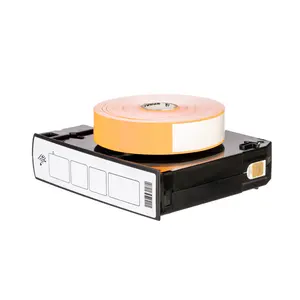
| Label, Paper, 4" x 6" (101.6mm x 152.4mm); TT, Z-Perform 2000T, Value Coated, Permanent Adhesive, 3" (76.2mm) core, 1000/roll, 4/box ORANGE | 10006208-7 | $145.00 Original price was: $145.00.$116.00Current price is: $116.00. |
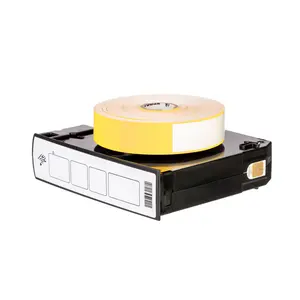
| Label, Paper, 4" x 6" (101.6mm x 152.4mm); TT, Z-Perform 2000T, Value Coated, Permanent Adhesive, 3" (76.2mm) core, 1000/roll, 4/box YELLOW | 10006208-1 | $145.00 Original price was: $145.00.$116.00Current price is: $116.00. |
| Label, Paper, 4" x 2.5" (101.6mm x 63.5mm); TT, Z-Perform 2000T All-Temp, Coated, Acrylic Based Adhesive, 3" (76.2mm) core, 2220/roll, 4/box, Plain | 72374 | $146.00 Original price was: $146.00.$117.00Current price is: $117.00. |
| Label, Paper, 3" x 1" (76.2mm x 25.4mm); TT, Z-Perform 2000T, Value Coated, Permanent Adhesive, 3" (76.2mm) core, 5500/roll, 6/box | 10000287 | $148.00 Original price was: $148.00.$119.00Current price is: $119.00. |
| Label, Paper, 4" x 1.5" (101.6mm x 38.1mm); DT, Z-Perform 2000D, Value Coated, All-Temp Adhesive, 1" (25.4mm) core, 1620/roll, 6/box, Plain | 10015786 | $148.00 Original price was: $148.00.$119.00Current price is: $119.00. |
| Label, Paper, 4" x 4" (101.6mm x 101.6mm); DT, Z-Perform 2000D, Value Coated, All-Temp Adhesive, 1" (25.4mm) core, 640/roll, 6/box, Plain | 10010033 | $150.00 Original price was: $150.00.$120.00Current price is: $120.00. |
| Label, Paper, 4" x 6" (101.6mm x 152.4mm); TT, Z-Select 4000T Removable, High Performance Coated, Removable Adhesive, 1" (25.4mm) core, 430/roll, 6/box, Plain | 10005849 | $150.00 Original price was: $150.00.$120.00Current price is: $120.00. |
| Label, Paper, 2" x 2" (50.8mm x 50.8mm); DT, Z-Perform 1000D, Value Uncoated, Permanent Adhesive, 3" (76.2mm) core, 2765/roll, 6/box, Plain | 10028310 | $151.00 Original price was: $151.00.$121.00Current price is: $121.00. |
| Label, Paper, 2" x 1" (50.8mm x 25.4mm); TT, Z-Perform 2000T, Value Coated, Permanent Adhesive, 3" (76.2mm) core, 5500/roll, 10/box | 10000288 | $153.00 Original price was: $153.00.$122.00Current price is: $122.00. |
| Label, Paper, 2" x 1" (50.8mm x 25.4mm); TT, Z-Select 4000T Removable, High Performance Coated, Removable Adhesive, 3" (76.2mm) core, 3000/roll, 4/box, Plain | 10022944 | $154.00 Original price was: $154.00.$124.00Current price is: $124.00. |
| Label, Paper, 3" x 3" (76.2mm x 76.2mm); DT, Z-Perform 2000D, Value Coated, All-Temp Adhesive, 1" (25.4mm) core, 840/roll, 6/box, Plain | 10010030 | $156.00 Original price was: $156.00.$125.00Current price is: $125.00. |
| Label, Paper, 2" x 3" (50.8mm x 76.2mm); DT, Z-Perform 1000D, Value Uncoated, Permanent Adhesive, 0.75in (19.1mm) core, 125/roll, 36/box, Plain. Black mark sensing . | LD-R7AM5R | $156.00 Original price was: $156.00.$125.00Current price is: $125.00. |
| Label, Paper, 4" x 6" (101.6mm x 152.4mm); TT, Z-Select 4000T, High Performance Coated, Permanent Adhesive, 3" (76.2mm) core, 950/roll, 4/box, Plain | 72353 | $157.00 Original price was: $157.00.$126.00Current price is: $126.00. |
| Label, Paper, 4" x 6" (101.6mm x 152.4mm); TT, Z-Select 4000T, High Performance Coated, Permanent Adhesive, 3" (76.2mm) core, 950/roll, 4/box, Plain | 72294 | $157.00 Original price was: $157.00.$126.00Current price is: $126.00. |
| Label, Paper, 4" x 3" (101.6mm x 76.2mm); TT, Z-Perform 2000T, Value Coated, Permanent Adhesive, 3" (76.2mm) core, 1840/roll, 4/box | 10006209-1 | $159.00 Original price was: $159.00.$127.00Current price is: $127.00. |
| Label, Paper, 2.25" x 2" (57.2mm x 50.8mm); TT, Z-Select 4000T, High Performance Coated, Permanent Adhesive, 3" (76.2mm) core, 3292/roll, 4/box, Plain | 800622-205 | $161.00 Original price was: $161.00.$129.00Current price is: $129.00. |
| Label, Paper, 2.25" x 0.7"5" (57.2mm x 19.1mm); TT, Z-Select 4000T, High Performance Coated, Permanent Adhesive, 3" (76.2mm) core, 7995/roll, 4/box, Plain | 800622-075 | $161.00 Original price was: $161.00.$129.00Current price is: $129.00. |
| Label, Paper, 2.25" x 1.2"5" (57.2mm x 31.8mm); TT, Z-Select 4000T, High Performance Coated, Permanent Adhesive, 3" (76.2mm) core, 5087/roll, 4/box, Plain | 800622-125 | $161.00 Original price was: $161.00.$129.00Current price is: $129.00. |
| Label, Paper, 4" x 6" (101.6mm x 152.4mm); TT, Z-Perform 2000T, Value Coated, Permanent Adhesive, 3" (76.2mm) core, 1000/roll, 4/box BLUE | 10006208 | $163.00 Original price was: $163.00.$130.00Current price is: $130.00. |
| Label, Paper, 4" x 2" (101.6mm x 50.8mm); DT, Z-Perform 2000D, Value Coated, All-Temp Adhesive, 3" (76.2mm) core, 2719/roll, 4/box, Plain | 10015365 | $164.00 Original price was: $164.00.$131.00Current price is: $131.00. |
| Label, Paper, 4" x 2" (101.6mm x 50.8mm); DT, Z-Perform 2000D, Value Coated, All-Temp Adhesive, 3" (76.2mm) core, 2720/roll, 4/box, Plain | 10012164 | $164.00 Original price was: $164.00.$131.00Current price is: $131.00. |
| Label, Paper, 4" x 6.5" (101.6mm x 165.1mm); DT, Z-Perform 2000D, Value Coated, All-Temp Adhesive, 3" (76.2mm) core, 900/roll, 4/box, Plain | 10000289 | $163.00 Original price was: $163.00.$131.00Current price is: $131.00. |
| Label, Paper, 4" x 1" (101.6mm x 25.4mm); DT, Z-Perform 2000D, Value Coated, All-Temp Adhesive, 1" (25.4mm) core, 2340/roll, 6/box, Plain | 10015783 | $165.00 Original price was: $165.00.$132.00Current price is: $132.00. |
| Label, Paper, 4" x 5" (101.6mm x 127mm); TT, Z-Select 4000T, High Performance Coated, Permanent Adhesive, 1" (25.4mm) core, 570/roll, 6/box, Plain | 10009531 | $165.00 Original price was: $165.00.$132.00Current price is: $132.00. |
| Label, Paper, 4" x 2" (101.6mm x 50.8mm); TT, Z-Select 4000T, High Performance Coated, Permanent Adhesive, 1" (25.4mm) core, 1370/roll, 6/box, Plain | 10009530 | $165.00 Original price was: $165.00.$132.00Current price is: $132.00. |
| Label, Paper, 4" x 6.5" (101.6mm x 165.1mm); TT, Z-Select 4000T, High Performance Coated, Permanent Adhesive, 3" (76.2mm) core, 880/roll, 4/box, Plain | 72296 | $166.00 Original price was: $166.00.$133.00Current price is: $133.00. |
| Label, Paper, 4" x 6" (101.6mm x 152.4mm); TT, Z-Select 4000T Removable, High Performance Coated, Removable Adhesive, 3" (76.2mm) core, 1000/roll, 4/box | 10005486 | $167.00 Original price was: $167.00.$134.00Current price is: $134.00. |
| Label, Paper, 4" x 2" (101.6mm x 50.8mm); DT, Z-Perform 2000D, Value Coated, All-Temp Adhesive, 1" (25.4mm) core, 1240/roll, 6/box, Plain | 10010031 | $168.00 Original price was: $168.00.$135.00Current price is: $135.00. |
| Label, Paper, 4" x 2" (101.6mm x 50.8mm); DT, Z-Perform 2000D, Value Coated, All-Temp Adhesive, 1" (25.4mm) core, 1240/roll, 6/box, Plain | 10012163 | $168.00 Original price was: $168.00.$135.00Current price is: $135.00. |
| Label, Paper, 3" x 2" (76.2mm x 50.8mm); DT, Z-Select 4000D, High Performance Coated, All-Temp Adhesive, 1" (25.4mm) core, 1240/roll, 6/box, Plain | 10010044 | $169.00 Original price was: $169.00.$135.00Current price is: $135.00. |
| Label, Paper, 3" x 1" (76.2mm x 25.4mm); DT, Z-Select 4000D, High Performance Coated, All-Temp Adhesive, 1" (25.4mm) core, 2340/roll, 6/box, Plain | 10010043 | $170.00 Original price was: $170.00.$136.00Current price is: $136.00. |
| Label, Paper, 2" x 2" (50.8mm x 50.8mm); DT, Z-Perform 1000D, Value Uncoated, Permanent Adhesive, 0.75in (19.1mm) core, 185/roll, 36/box, Plain. Black mark sensing . | LD-R7AO5B | $172.00 Original price was: $172.00.$138.00Current price is: $138.00. |
| Label, Paper, 2.38" x 1" (60.5mm x 25.4mm); TT, Z-Select 4000T, High Performance Coated, Permanent Adhesive, 1" (25.4mm) core, 2580/roll, 6/box. Labels have center vertical slit creating two 1.1875" x 1" labels. | 10005848 | $173.00 Original price was: $173.00.$138.00Current price is: $138.00. |
| Label, Paper, 4" x 6.5" (101.6mm x 165.1mm); TT, Z-Perform 2000T, Value Coated, Permanent Adhesive, 3" (76.2mm) core, 900/roll, 4/box | 10005725-1 | $174.00 Original price was: $174.00.$139.00Current price is: $139.00. |
| Label, Paper, 4" x 2.5" (101.6mm x 63.5mm); TT, Z-Select 4000T, High Performance Coated, Permanent Adhesive, 3" (76.2mm) core, 2220/roll, 4/box, Plain | 72290 | $175.00 Original price was: $175.00.$140.00Current price is: $140.00. |
| Label, Paper, 4" x 4" (101.6mm x 101.6mm); DT, Z-Perform 2000D, Value Coated, All-Temp Adhesive, 3" (76.2mm) core, 1500/roll, 4/box | 10000292 | $176.00 Original price was: $176.00.$141.00Current price is: $141.00. |
| Label, Paper, 4" x 466ft (101.6mm x 142m); TT, Z-Select 4000T, High Performance Coated, Permanent Adhesive, 3" (76.2mm) core, 466/roll, 4/box, Plain | 98962 | $176.00 Original price was: $176.00.$141.00Current price is: $141.00. |
| Label, Paper, 4" x 8" (101.6mm x 203.2mm); TT, Z-Select 4000T, High Performance Coated, Permanent Adhesive, 3" (76.2mm) core, 690/roll, 4/box | 98963 | $178.00 Original price was: $178.00.$143.00Current price is: $143.00. |
| Label, Paper, 4" x 2.5" (101.6mm x 63.5mm); TT, Z-Select 4000T, High Performance Coated, Permanent Adhesive, 3" (76.2mm) core, 2130/roll, 4/box | 94681 | $178.00 Original price was: $178.00.$143.00Current price is: $143.00. |
| Label, Paper, 4" x 6" (101.6mm x 152.4mm); DT, Z-Perform 2000D, Value Coated, All-Temp Adhesive, 1" (25.4mm) core, Yellow, 430/roll, 6/box, Printed | 10010035 | $179.00 Original price was: $179.00.$143.00Current price is: $143.00. |
| Label, Paper, 4" x 1"0in (101.6mm x 254mm); TT, Z-Select 4000T, High Performance Coated, Permanent Adhesive, 3" (76.2mm) core, 550/roll, 4/box | 94682 | $180.00 Original price was: $180.00.$144.00Current price is: $144.00. |
| Label, Paper, 4" x 6" (101.6mm x 152.4mm); DT, Z-Perform 2000D, Value Coated, All-Temp Adhesive, 1" (25.4mm) core, Green, 430/roll, 6/box, Printed | 10010035-1 | $180.00 Original price was: $180.00.$144.00Current price is: $144.00. |
| Label, Paper, 4" x 1.5" (101.6mm x 38.1mm); DT, Z-Select 4000D, High Performance Coated, All-Temp Adhesive, 1" (25.4mm) core, 1620/roll, 6/box, Plain | 10010046 | $183.00 Original price was: $183.00.$146.00Current price is: $146.00. |
| Label, Paper, 4" x 2.5" (101.6mm x 63.5mm); DT, Z-Select 4000D, High Performance Coated, All-Temp Adhesive, 1" (25.4mm) core, 1000/roll, 6/box, Plain | 10010048 | $183.00 Original price was: $183.00.$146.00Current price is: $146.00. |
| Label, Paper, 2.375" x 1" (60.3mm x 25.4mm); DT, Z-Select 4000D Removable, High Performance Coated, Removable Adhesive, 1" (25.4mm) core, 2260/roll, 6/box. Center vertical slit creates two 1.1875" x 1" labels. | 10010052 | $182.00 Original price was: $182.00.$146.00Current price is: $146.00. |
| Label, Paper, 4" x 2" (101.6mm x 50.8mm); TT, Z-Select 4000T, High Performance Coated, Permanent Adhesive, 3" (76.2mm) core, 2740/roll, 4/box, Plain | 72289 | $184.00 Original price was: $184.00.$147.00Current price is: $147.00. |
| Label, Paper, 4" x 1"3" (101.6mm x 330.2mm); TT, Z-Select 4000T, High Performance Coated, Permanent Adhesive, 3" (76.2mm) core, 440/roll, 4/box, Plain | 72297 | $183.00 Original price was: $183.00.$147.00Current price is: $147.00. |
| Label, Paper, 4" x 6.5" (101.6mm x 165.1mm); TT, Z-Select 4000T, High Performance Coated, Permanent Adhesive, 3" (76.2mm) core, 840/roll, 4/box, Plain | 73298 | $184.00 Original price was: $184.00.$147.00Current price is: $147.00. |
| Label, Paper, 3" x 1" (76.2mm x 25.4mm); DT, Z-Perform 1000D, Value Uncoated, Permanent Adhesive, 3" (76.2mm) core, 5500/roll, 6/box, Plain | 10000303 | $185.00 Original price was: $185.00.$148.00Current price is: $148.00. |
| Label, Paper, 3" x 1" (76.2mm x 25.4mm); TT, Z-Select 4000T Removable, High Performance Coated, Removable Adhesive, 3" (76.2mm) core, 3000/roll, 4/box, Plain | 10022945 | $184.00 Original price was: $184.00.$148.00Current price is: $148.00. |
| Label, Paper, 3" x 2" (76.2mm x 50.8mm); TT, Z-Select 4000T Removable, High Performance Coated, Removable Adhesive, 3" (76.2mm) core, 1000/roll, 4/box, Plain | 10022946 | $184.00 Original price was: $184.00.$148.00Current price is: $148.00. |
| Label, Paper, 4" x 2" (101.6mm x 50.8mm); TT, Z-Select 4000T Removable, High Performance Coated, Removable Adhesive, 3" (76.2mm) core, 1000/roll, 4/box, Plain | 10022948 | $184.00 Original price was: $184.00.$148.00Current price is: $148.00. |
| Label, Paper, 2.25" x 1.2"5" (57.2mm x 31.8mm); TT, Z-Select 4000T, High Performance Coated, Permanent Adhesive, 1" (25.4mm) core, 2100/roll, 12/box, Plain | 800272-125 | $186.00 Original price was: $186.00.$149.00Current price is: $149.00. |
| Label, Paper, 4" x 3" (101.6mm x 76.2mm); DT, Z-Perform 2000D, Value Coated, All-Temp Adhesive, 3" (76.2mm) core, 2000/roll, 4/box | 10000293 | $190.00 Original price was: $190.00.$152.00Current price is: $152.00. |
| Label, Paper, 3" x 5" (76.2mm x 127mm); TT, Z-Perform 2000T All-Temp, Coated, Acrylic Based Adhesive, 3" (76.2mm) core, 1100/roll, 6/box, Plain | 97477 | $191.00 Original price was: $191.00.$153.00Current price is: $153.00. |
| Label, Paper, 2.25" x 1.2"5" (57.2mm x 31.8mm); DT, Z-Perform 2000D, Value Coated, All-Temp Adhesive, 1" (25.4mm) core, 2100/roll, 12/box, Plain | 10015781 | $198.00 Original price was: $198.00.$158.00Current price is: $158.00. |
| Label, Paper, 4" x 2" (101.6mm x 50.8mm); TT, Z-Perform 1500T, Coated, Permanent Adhesive, 3" (76.2mm) core, RFID, Plain | 10038998 | $200.00 Original price was: $200.00.$160.00Current price is: $160.00. |
| Label, Paper, 2.25" x 0.7"5" (57.2mm x 19.1mm); DT, Z-Perform 2000D, Value Coated, All-Temp Adhesive, 1" (25.4mm) core, 3315/roll, 12/box, Plain | 10015785 | $199.00 Original price was: $199.00.$160.00Current price is: $160.00. |
| Label, Paper, 4" x 1" (101.6mm x 25.4mm); DT, Z-Select 4000D, High Performance Coated, All-Temp Adhesive, 1" (25.4mm) core, 2340/roll, 6/box, Plain | 10010045 | $204.00 Original price was: $204.00.$163.00Current price is: $163.00. |
| Label, Paper, 4" x 2" (101.6mm x 50.8mm); DT, Z-Select 4000D, High Performance Coated, All-Temp Adhesive, 1" (25.4mm) core, 1240/roll, 6/box, Plain | 10010047 | $210.00 Original price was: $210.00.$168.00Current price is: $168.00. |
| Label, Paper, 4" x 2.5" (101.6mm x 63.5mm); DT, Z-Perform 2000D, Value Coated, All-Temp Adhesive, 3" (76.2mm) core, 2280/roll, 4/box | 10000294 | $215.00 Original price was: $215.00.$172.00Current price is: $172.00. |
| Label, Paper, 3.25" x 5.5" (82.6mm x 139.7mm); TT, Z-Perform 2000T All-Temp, Coated, Acrylic Based Adhesive, 3" (76.2mm) core, 1040/roll, 6/box, Plain | 72371 | $215.00 Original price was: $215.00.$172.00Current price is: $172.00. |
| Label, Paper, 3.25in x 486ft (82.6mm x 148.1m); TT, Z-Perform 2000T All-Temp, Coated, Acrylic Based Adhesive, 3" (76.2mm) core, 486/roll, 6/box, Plain | 72372 | $215.00 Original price was: $215.00.$172.00Current price is: $172.00. |
| Label, Paper, 3" x 2" (76.2mm x 50.8mm); TT, Z-Select 4000T, High Performance Coated, Permanent Adhesive, 3" (76.2mm) core, 2740/roll, 6/box, Plain | 72285 | $218.00 Original price was: $218.00.$174.00Current price is: $174.00. |
| Label, Paper, 3" x 1" (76.2mm x 25.4mm); DT, Z-Perform 2000D, Value Coated, All-Temp Adhesive, 3" (76.2mm) core, 5000/roll, 4/box, Plain | 10025363 | $218.00 Original price was: $218.00.$175.00Current price is: $175.00. |
| Label, Paper, 4" x 6" (101.6mm x 152.4mm); TT, Z-Perform 2000T, Value Coated, Permanent Adhesive, 3" (76.2mm) core, 1000/roll, 4/box ORANGE | 10006208-4 | $220.00 Original price was: $220.00.$176.00Current price is: $176.00. |
| Label, Paper, 4" x 3" (101.6mm x 76.2mm); TT, Z-Select 4000T, High Performance Coated, Permanent Adhesive, 3" (76.2mm) core, 1870/roll, 4/box, Plain | 72291 | $222.00 Original price was: $222.00.$178.00Current price is: $178.00. |
| Label, Paper, 4" x 4" (101.6mm x 101.6mm); TT, Z-Select 4000T, High Performance Coated, Permanent Adhesive, 3" (76.2mm) core, 1410/roll, 4/box, Plain | 72292 | $223.00 Original price was: $223.00.$178.00Current price is: $178.00. |
| Label, Paper, 3.5" x 1" (88.9mm x 25.4mm); TT, Z-Perform 2000T All-Temp, Coated, Acrylic Based Adhesive, 3" (76.2mm) core, 5180/roll, 6/box, Plain | 72373 | $224.00 Original price was: $224.00.$179.00Current price is: $179.00. |
| Label, Paper, 3" x 5" (76.2mm x 127mm); TT, Z-Select 4000T, High Performance Coated, Permanent Adhesive, 3" (76.2mm) core, 1100/roll, 6/box | 72993 | $226.00 Original price was: $226.00.$181.00Current price is: $181.00. |
| Label, Paper, 4" x 6" (101.6mm x 152.4mm); DT, Z-Perform 2000D, Value Coated, All-Temp Adhesive, 1" (25.4mm) core, Orange, 430/roll, 6/box, Printed | 10010035-2 | $227.00 Original price was: $227.00.$181.00Current price is: $181.00. |
| Label, Paper, 3" x 6" (76.2mm x 152.4mm); TT, Z-Select 4000T, High Performance Coated, Permanent Adhesive, 3" (76.2mm) core, 910/roll, 6/box | 81397 | $228.00 Original price was: $228.00.$183.00Current price is: $183.00. |
| Label, Paper, 4" x 6" (101.6mm x 152.4mm); TT, Z-Select 4000T, High Performance Coated, Permanent Adhesive, FF core, 900/roll, 6/box, Plain | 72295 | $230.00 Original price was: $230.00.$184.00Current price is: $184.00. |
| Label, Paper, 4" x 3" (101.6mm x 76.2mm); TT, Z-Perform 1500T, Coated, Permanent Adhesive, 3" (76.2mm) core, RFID, Plain | 10038997 | $231.00 Original price was: $231.00.$185.00Current price is: $185.00. |
| Label, Paper, 4" x 6" (101.6mm x 152.4mm); TT, Z-Perform 1500T, Coated, Permanent Adhesive, 3" (76.2mm) core, RFID, Plain | 10039000 | $234.00 Original price was: $234.00.$187.00Current price is: $187.00. |
| Label, Paper, 2.25" x 1.2"5" (57.2mm x 31.8mm); TT, Z-Select 4000T, High Performance Coated, Permanent Adhesive, 3" (76.2mm) core, 4240/roll, 8/box, Plain | 72283 | $234.00 Original price was: $234.00.$187.00Current price is: $187.00. |
| Label, Paper, 3" x 1" (76.2mm x 25.4mm); TT, Z-Select 4000T, High Performance Coated, Permanent Adhesive, 3" (76.2mm) core, 5180/roll, 6/box, Plain | 72284 | $235.00 Original price was: $235.00.$188.00Current price is: $188.00. |
| Label, Paper, 3.25" x 5.5" (82.6mm x 139.7mm); TT, Z-Select 4000T, High Performance Coated, Permanent Adhesive, 3" (76.2mm) core, 1040/roll, 6/box, Plain | 72286 | $234.00 Original price was: $234.00.$188.00Current price is: $188.00. |
| Label, Paper, 3" x 5" (76.2mm x 127mm); DT, Z-Perform 1000D, Value Uncoated, Permanent Adhesive, 0.75in (19.1mm) core, 95/roll, 36/box, Plain | 10026370 | $240.00 Original price was: $240.00.$192.00Current price is: $192.00. |
| Label, Paper, 3" x 1" (76.2mm x 25.4mm); DT, Z-Perform 1000D, Value Uncoated, Permanent Adhesive, 0.75in (19.1mm) core, 430/roll, 36/box, Plain | 10026369 | $240.00 Original price was: $240.00.$192.00Current price is: $192.00. |
| Label, Paper, 3" x 2" (76.2mm x 50.8mm); DT, Z-Perform 2000D, Value Coated, All-Temp Adhesive, 3" (76.2mm) core, 2750/roll, 6/box, Plain | 10000295 | $243.00 Original price was: $243.00.$194.00Current price is: $194.00. |
| Label, Paper, 2.25" x 4" (57.2mm x 101.6mm); DT, Z-Select 4000D, High Performance Coated, All-Temp Adhesive, 1" (25.4mm) core, 700/roll, 12/box, Plain | 10015343 | $242.00 Original price was: $242.00.$194.00Current price is: $194.00. |
| Label, Paper, 4" x 6" (101.6mm x 152.4mm); DT, Z-Perform 1000D, Value Uncoated, Permanent Adhesive, 0.75in (19.1mm) core, 75/roll, 36/box, Plain | 10023377 | $244.00 Original price was: $244.00.$195.00Current price is: $195.00. |
| Label, Paper, 2" x 5.5" (50.8mm x 139.7mm); TT, Z-Perform 2000T All-Temp, Coated, Acrylic Based Adhesive, 3" (76.2mm) core, 1050/roll, 10/box, Plain | 72305 | $243.00 Original price was: $243.00.$195.00Current price is: $195.00. |
| Label, Paper, 2.25" x 1.2"5" (57.2mm x 31.8mm); DT, Z-Select 4000D, High Performance Coated, All-Temp Adhesive, 1" (25.4mm) core, 2100/roll, 12/box, Plain | 10015341 | $243.00 Original price was: $243.00.$195.00Current price is: $195.00. |
| Label, Paper, 3.5" x 1.12"5" (88.9mm x 28.6mm); DT, Z-Select 4000D, High Performance Coated, All-Temp Adhesive, 1" (25.4mm) core, 2374/roll, 4/box, Plain. Label has square edges. | 10013885 | $245.00 Original price was: $245.00.$196.00Current price is: $196.00. |
| Label, Paper, 2.25" x 2" (57.2mm x 50.8mm); DT, Z-Select 4000D, High Performance Coated, All-Temp Adhesive, 1" (25.4mm) core, 1370/roll, 12/box, Plain | 10015342 | $246.00 Original price was: $246.00.$197.00Current price is: $197.00. |
| Label, Paper, 2.25" x 0.7"5" (57.2mm x 19.1mm); DT, Z-Select 4000D, High Performance Coated, All-Temp Adhesive, 1" (25.4mm) core, 3315/roll, 12/box, Plain | 10015340 | $246.00 Original price was: $246.00.$197.00Current price is: $197.00. |
| Label, Paper, 4" x 3" (101.6mm x 76.2mm); TT, Z-Perform 2000T, Value Coated, Permanent Adhesive, 3" (76.2mm) core, 1840/roll, 4/box | 10006209-3 | $248.00 Original price was: $248.00.$198.00Current price is: $198.00. |
| Label, Paper, 2" x 1" (50.8mm x 25.4mm); TT, Z-Select 4000T, High Performance Coated, Permanent Adhesive, 3" (76.2mm) core, 5180/roll, 10/box, Plain | 72281 | $251.00 Original price was: $251.00.$201.00Current price is: $201.00. |
| Label, Paper, 2.75" x 1.2"5" (69.9mm x 31.8mm); TT, Z-Perform 2000T All-Temp, Coated, Acrylic Based Adhesive, 3" (76.2mm) core, 4240/roll, 8/box, Plain | 72369 | $251.00 Original price was: $251.00.$201.00Current price is: $201.00. |
| Label, Paper, 3.5" x 1" (88.9mm x 25.4mm); TT, Z-Select 4000T, High Performance Coated, Permanent Adhesive, 3" (76.2mm) core, 5180/roll, 6/box, Plain | 72288 | $252.00 Original price was: $252.00.$202.00Current price is: $202.00. |
| Label, Paper, 2" x 1" (50.8mm x 25.4mm); DT, Z-Perform 2000D, Value Coated, All-Temp Adhesive, 3" (76.2mm) core, 5500/roll, 8/box, Plain | 10000298 | $255.00 Original price was: $255.00.$204.00Current price is: $204.00. |
| Label, Paper, 3" x 1" (76.2mm x 25.4mm); DT, Z-Perform 2000D, Value Coated, All-Temp Adhesive, 3" (76.2mm) core, 5500/roll, 6/box, Plain | 10000296 | $255.00 Original price was: $255.00.$204.00Current price is: $204.00. |
| Label, Paper, 2" x 1.5" (50.8mm x 38.1mm); DT, Z-Select 4000D, High Performance Coated, All-Temp Adhesive, 0.75in (19.1mm) core, 284/roll, 36/box, Plain | 10015767 | $255.00 Original price was: $255.00.$204.00Current price is: $204.00. |
| Label, Paper, 3.25in x 486ft (82.6mm x 148.1m); TT, Z-Select 4000T, High Performance Coated, Permanent Adhesive, 3" (76.2mm) core, 6/box, Plain | 72287 | $257.00 Original price was: $257.00.$205.00Current price is: $205.00. |
| Label, Paper, 2.25" x 1.2"5" (57.2mm x 31.8mm); DT, Z-Perform 2000D, Value Coated, All-Temp Adhesive, 3" (76.2mm) core, 4350/roll, 8/box, Plain | 10000297 | $259.00 Original price was: $259.00.$207.00Current price is: $207.00. |
| Label, Paper, 3" x 2" (76.2mm x 50.8mm); DT, Z-Select 4000D, High Performance Coated, All-Temp Adhesive, 0.75in (19.1mm) core, 210/roll, 36/box | 10001962 | $261.00 Original price was: $261.00.$209.00Current price is: $209.00. |
| Label, Paper, 4" x 6" (101.6mm x 152.4mm); TT, Z-Perform 2000T, Value Coated, Permanent Adhesive, 3" (76.2mm) core, 1000/roll, 4/box RED | 10006208-5 | $265.00 Original price was: $265.00.$212.00Current price is: $212.00. |
| Label, Paper, 4" x 6" (101.6mm x 152.4mm); DT, Z-Perform 2000D, Value Coated, All-Temp Adhesive, 1" (25.4mm) core, Red, 430/roll, 6/box, Printed | 10010035-3 | $267.00 Original price was: $267.00.$214.00Current price is: $214.00. |
| Label, Paper, 4" x 5" (101.6mm x 127mm); TT, Z-Select 4000T, High Performance Coated, Permanent Adhesive, 3" (76.2mm) core, 1365/roll, 4/box, Plain | 800640-505 | $271.00 Original price was: $271.00.$217.00Current price is: $217.00. |
| Label, Paper, 4" x 3" (101.6mm x 76.2mm); TT, Z-Select 4000T, High Performance Coated, Permanent Adhesive, 3" (76.2mm) core, 2238/roll, 4/box, Plain | 800640-305 | $271.00 Original price was: $271.00.$217.00Current price is: $217.00. |
| Label, Paper, 4" x 4" (101.6mm x 101.6mm); TT, Z-Select 4000T, High Performance Coated, Permanent Adhesive, 3" (76.2mm) core, 1696/roll, 4/box, Plain | 800640-405 | $271.00 Original price was: $271.00.$217.00Current price is: $217.00. |
| Label, Paper, 4" x 1.5" (101.6mm x 38.1mm); TT, Z-Select 4000T, High Performance Coated, Permanent Adhesive, 3" (76.2mm) core, 4225/roll, 4/box, Plain | 800640-155 | $271.00 Original price was: $271.00.$217.00Current price is: $217.00. |
| Label, Paper, 4" x 6.5" (101.6mm x 165.1mm); DT, Z-Select 4000D, High Performance Coated, All-Temp Adhesive, 3" (76.2mm) core, 870/roll, 4/box | 117945 | $289.00 Original price was: $289.00.$232.00Current price is: $232.00. |
| Label, Paper, 4" x 1" (101.6mm x 25.4mm); DT, Z-Perform 2000D, Value Coated, All-Temp Adhesive, 3" (76.2mm) core, 6000/roll, 4/box, Plain | 10025354 | $293.00 Original price was: $293.00.$234.00Current price is: $234.00. |
| Label, Paper, 3.25" x 2" (82.6mm x 50.8mm); TT, Z-Select 4000T, High Performance Coated, Permanent Adhesive, 3" (76.2mm) core, 2700/roll, 6/box | 72974 | $299.00 Original price was: $299.00.$239.00Current price is: $239.00. |
| Label, Paper, 4" x 6" (101.6mm x 152.4mm); DT, Z-Select 4000D, High Performance Coated, All-Temp Adhesive, 3" (76.2mm) core, 940/roll, 4/box, Plain | 98959 | $300.00 Original price was: $300.00.$240.00Current price is: $240.00. |
| Label, Paper, 2.75" x 1.2"5" (69.9mm x 31.8mm); TT, Z-Select 4000T, High Performance Coated, Permanent Adhesive, 3" (76.2mm) core, 4240/roll, 8/box, Plain | 72282 | $300.00 Original price was: $300.00.$240.00Current price is: $240.00. |
| Label, Paper, 4" x 6" (101.6mm x 152.4mm); DT, Z-Select 4000D, High Performance Coated, All-Temp Adhesive, 3" (76.2mm) core, 950/roll, 4/box, Plain | 72345 | $303.00 Original price was: $303.00.$242.00Current price is: $242.00. |
| Label, Paper, 4" x 3" (101.6mm x 76.2mm); TT, Z-Select 4000T, High Performance Coated, Permanent Adhesive, 1" (25.4mm) core, 930/roll, 12/box, Plain | 800274-305 | $308.00 Original price was: $308.00.$246.00Current price is: $246.00. |
| Label, Paper, 4" x 1.5" (101.6mm x 38.1mm); TT, Z-Select 4000T, High Performance Coated, Permanent Adhesive, 1" (25.4mm) core, 1790/roll, 12/box, Plain | 800274-155 | $308.00 Original price was: $308.00.$247.00Current price is: $247.00. |
| Label, Paper, 2.9375" x 4.937"5" (74.6mm x 125.4mm); DT, Z-Perform 2000D, Value Coated, All-Temp Adhesive, 0.75in (19.1mm) core, 130/roll, 36/box, Plain | LD-R6AD5W | $308.00 Original price was: $308.00.$247.00Current price is: $247.00. |
| Label, Paper, 4" x 6" (101.6mm x 152.4mm); TT, Z-Select 4000T, High Performance Coated, Permanent Adhesive, 0.75in (19.1mm) core, 110/roll, 16/box, Plain | 10008549 | $311.00 Original price was: $311.00.$249.00Current price is: $249.00. |
| Label, Paper, 4" x 6" (101.6mm x 152.4mm); TT, Z-Select 4000T, High Performance Coated, Permanent Adhesive, 1" (25.4mm) core, 475/roll, 12/box | 800274-605 | $315.00 Original price was: $315.00.$252.00Current price is: $252.00. |
| Label, Paper, 2" x 1" (50.8mm x 25.4mm); DT, Z-Select 4000D, High Performance Coated, All-Temp Adhesive, 3" (76.2mm) core, 4620/roll, 8/box, Plain | 72275 | $327.00 Original price was: $327.00.$262.00Current price is: $262.00. |
| Label, Paper, 4" x 4" (101.6mm x 101.6mm); TT, Z-Select 4000T, High Performance Coated, Permanent Adhesive, 1" (25.4mm) core, 700/roll, 12/box, Plain | 800274-405 | $328.00 Original price was: $328.00.$262.00Current price is: $262.00. |
| Label, Paper, 2.25" x 1.2"5" (57.2mm x 31.8mm); DT, Z-Select 4000D, High Performance Coated, All-Temp Adhesive, 3" (76.2mm) core, 3770/roll, 8/box, Plain | 10002635 | $327.00 Original price was: $327.00.$262.00Current price is: $262.00. |
| Label, Paper, 2.25" x 1.2"5" (57.2mm x 31.8mm); DT, Z-Select 4000D, High Performance Coated, All-Temp Adhesive, 3" (76.2mm) core, 3770/roll, 8/box, Plain | 72276 | $327.00 Original price was: $327.00.$262.00Current price is: $262.00. |
| Label, Paper, 2.25" x 4" (57.2mm x 101.6mm); DT, Z-Select 4000D, High Performance Coated, All-Temp Adhesive, 3" (76.2mm) core, 1260/roll, 8/box, Plain | 72278 | $328.00 Original price was: $328.00.$263.00Current price is: $263.00. |
| Label, Paper, 2.25" x 2.5" (57.2mm x 63.5mm); DT, Z-Select 4000D, High Performance Coated, All-Temp Adhesive, 3" (76.2mm) core, 1980/roll, 8/box, Plain | 72277 | $328.00 Original price was: $328.00.$263.00Current price is: $263.00. |
| Label, Paper, 4" x 2.5" (101.6mm x 63.5mm); DT, Z-Select 4000D, High Performance Coated, All-Temp Adhesive, 3" (76.2mm) core, 2220/roll, 4/box, Plain | 72344 | $331.00 Original price was: $331.00.$265.00Current price is: $265.00. |
| Label, Paper, 4" x 4" (101.6mm x 101.6mm); DT, Z-Select 4000D, High Performance Coated, All-Temp Adhesive, 3" (76.2mm) core, 1400/roll, 4/box | 82801 | $336.00 Original price was: $336.00.$269.00Current price is: $269.00. |
| Label, Paper, 3" x 1.7"5" (76.2mm x 44.5mm); DT, Z-Perform 2000D, Value Coated, All-Temp Adhesive, 0.75in (19.1mm) core, 350/roll, 36/box, Plain | LD-R3AT5F | $337.00 Original price was: $337.00.$270.00Current price is: $270.00. |
| Label, Paper, 3" x 1.7"5" (76.2mm x 44.5mm); DT, Z-Perform 1000D, Value Uncoated, Permanent Adhesive, 0.75in (19.1mm) core, 260/roll, 36/box, Plain | 10026371 | $350.00 Original price was: $350.00.$280.00Current price is: $280.00. |
| Label, Paper, 3.5" x 1" (88.9mm x 25.4mm); DT, Z-Select 4000D, High Performance Coated, All-Temp Adhesive, 3" (76.2mm) core, 5760/roll, 6/box, Plain. Label has square edges and notches on left side. | HC10000684 | $353.00 Original price was: $353.00.$282.00Current price is: $282.00. |
| Label, Paper, 1.5x1 (38.1mm x 25.4mm); TT, Z-Select 4000T, High Performance Coated, Permanent Adhesive, 3" (76.2mm) core, 5180/roll, 14/box, Plain | 72280 | $371.00 Original price was: $371.00.$297.00Current price is: $297.00. |
| Label, Paper, 4" x 3" (101.6mm x 76.2mm); DT, Z-Select 4000D, High Performance Coated, All-Temp Adhesive, 3" (76.2mm) core, 2238/roll, 4/box, Plain | 800740-305 | $386.00 Original price was: $386.00.$309.00Current price is: $309.00. |
| Label, Paper, 4" x 1.5" (101.6mm x 38.1mm); DT, Z-Select 4000D, High Performance Coated, All-Temp Adhesive, 3" (76.2mm) core, 4225/roll, 4/box, Plain | 10015348 | $386.00 Original price was: $386.00.$309.00Current price is: $309.00. |
| Label, Paper, 4" x 2" (101.6mm x 50.8mm); TT, Z-Perform 1500T, Coated, Permanent Adhesive, 3" (76.2mm) core, RFID, Plain | 10039001 | $388.00 Original price was: $388.00.$310.00Current price is: $310.00. |
| Label, Paper, 4" x 3" (101.6mm x 76.2mm); DT, Z-Select 4000D, High Performance Coated, All-Temp Adhesive, 1" (25.4mm) core, 930/roll, 12/box, Plain | 10015344 | $402.00 Original price was: $402.00.$322.00Current price is: $322.00. |
| Label, Paper, 4" x 4" (101.6mm x 101.6mm); DT, Z-Select 4000D, High Performance Coated, All-Temp Adhesive, 1" (25.4mm) core, 700/roll, 12/box, Plain | 10015345 | $402.00 Original price was: $402.00.$322.00Current price is: $322.00. |
| Label, Paper, 4" x 3" (101.6mm x 76.2mm); DT, Z-Perform 1000D, Value Uncoated, Permanent Adhesive, 0.75in (19.1mm) core, 200/roll, 36/box, Plain. Black mark sensing . | LD-R6AO5B | $406.00 Original price was: $406.00.$325.00Current price is: $325.00. |
| Label, Paper, 4" x 6" (101.6mm x 152.4mm); DT, Z-Select 4000D, High Performance Coated, All-Temp Adhesive, 1" (25.4mm) core, 475/roll, 12/box, Plain | 10015347 | $409.00 Original price was: $409.00.$327.00Current price is: $327.00. |
| Label, Paper, 3" x 2" (76.2mm x 50.8mm); DT, Z-Select 4000D, High Performance Coated, All-Temp Adhesive, 3" (76.2mm) core, 2710/roll, 6/box, Plain | 98958 | $411.00 Original price was: $411.00.$329.00Current price is: $329.00. |
| Label, Paper, 4" x 6" (101.6mm x 152.4mm); DT, Z-Perform 1000D, Value Uncoated, Permanent Adhesive, 0.75in (19.1mm) core, 105/roll, 36/box, Plain. Black mark sensing . | LD-R4AW5B | $412.00 Original price was: $412.00.$329.00Current price is: $329.00. |
| Label, Paper, 3.5" x 1" (88.9mm x 25.4mm); DT, Z-Select 4000D, High Performance Coated, All-Temp Adhesive, 3" (76.2mm) core, 5120/roll, 6/box | 75856 | $416.00 Original price was: $416.00.$333.00Current price is: $333.00. |
| Label, Paper, 4" x 2" (101.6mm x 50.8mm); DT, Z-Perform 1000D, Value Uncoated, Permanent Adhesive, 0.75in (19.1mm) core, 300/roll, 36/box, Plain. Black mark sensing . | LD-R2AQ5J | $417.00 Original price was: $417.00.$333.00Current price is: $333.00. |
| Label, Paper, 3" x 1" (76.2mm x 25.4mm); DT, Z-Select 4000D, High Performance Coated, All-Temp Adhesive, 3" (76.2mm) core, 5120/roll, 6/box | 74569 | $424.00 Original price was: $424.00.$340.00Current price is: $340.00. |
| Label, Paper, 4" x 5" (101.6mm x 127mm); DT, Z-Select 4000D, High Performance Coated, All-Temp Adhesive, 1" (25.4mm) core, 565/roll, 12/box, Plain | 10015346 | $433.00 Original price was: $433.00.$346.00Current price is: $346.00. |
| Label, Paper, 3" x 3" (76.2mm x 76.2mm); DT, Z-Select 4000D, High Performance Coated, All-Temp Adhesive, 3" (76.2mm) core, 1840/roll, 6/box, Plain | 84086 | $435.00 Original price was: $435.00.$348.00Current price is: $348.00. |
| Label, Paper, 4" x 4" (101.6mm x 101.6mm); DT, Z-Perform 1000D, Value Uncoated, Permanent Adhesive, 0.75in (19.1mm) core, 160/roll, 36/box, Plain. Black mark sensing . | LD-R3AK5B | $444.00 Original price was: $444.00.$355.00Current price is: $355.00. |
| Label, Paper, 4" x 6" (101.6mm x 152.4mm); DT, Z-Select 4000D, High Performance Coated, All-Temp Adhesive, FF core, 720/roll, 6/box | 83398 | $447.00 Original price was: $447.00.$358.00Current price is: $358.00. |
| Label, Paper, 4" x 1.2"5" (101.6mm x 31.8mm); DT, Z-Select 4000D, High Performance Coated, All-Temp Adhesive, 1" (25.4mm) core, 2100/roll, 12/box, Plain | 10015349 | $470.00 Original price was: $470.00.$376.00Current price is: $376.00. |
| Label, Paper, 1.5x1 (38.1mm x 25.4mm); DT, Z-Select 4000D, High Performance Coated, All-Temp Adhesive, 3" (76.2mm) core, 5120/roll, 14/box, Plain | 88686 | $522.00 Original price was: $522.00.$418.00Current price is: $418.00. |
| Label, Paper, 4" x 2" (101.6mm x 50.8mm); TT, Z-Perform 1500T, Coated, Permanent Adhesive, 3" (76.2mm) core, RFID, Plain | 10035242 | $534.00 Original price was: $534.00.$427.00Current price is: $427.00. |
| Label, Paper, 3.5" x 1.12"5" (88.9mm x 28.6mm); DT, Z-Select 4000D, High Performance Coated, All-Temp Adhesive, 3" (76.2mm) core, 5219/roll, 6/box, Plain. Label has square edges. | 10013639 | $727.00 Original price was: $727.00.$582.00Current price is: $582.00. |
 | Label, Paper, 4" x 6" (101.6mm x 152.4mm); DT, IQ Color 2000D, Coated, Permanent Adhesive, 3" (76.2mm) core | SAM68300 | |
| Label, Paper, 4" x 6" (101.6mm x 152.4mm); DT, Z-Perform 2000D, Value Coated, All-Temp Adhesive, 3" (76.2mm) core | SAM65791 | |
| Label, Paper, 4" x 6" (101.6mm x 152.4mm); TT, Z-Perform 2000T, Value Coated, Permanent Adhesive, 3" (76.2mm) core | SAM66105 | |
| Label, Paper, 3" x 3" (76.2mm x 76.2mm); DT, Z-Select 4000D Removable, High Performance Coated, Removable Adhesive, 3" (76.2mm) core | SAM65945 | |
| Label, Paper, 4" x 6" (101.6mm x 152.4mm); DT, Z-Select 4000D, High Performance Coated, All-Temp Adhesive, 3" (76.2mm) core, Sample Roll | SAM5176 | |
| Label, Paper, 4" x 6" (101.6mm x 152.4mm); TT, Z-Select 4000T, High Performance Coated, Permanent Adhesive, 3" (76.2mm) core, Sample Roll | SAM5210 | |
| Label, Paper, 4" x 6" (101.6mm x 152.4mm); TT, Z-Select 4000T All-Temp , High Performance Coated, All-Temp Adhesive, 3" (76.2mm) core, Sample Roll | SAM5273 | |
| Label, Paper, 4" x 6" (101.6mm x 152.4mm); TT, Z-Select 4000T Removable, High Performance Coated, Removable Adhesive, 3" (76.2mm) core, Sample Roll, Plain | SAM5233 | |