Mobile Computer Software (3)
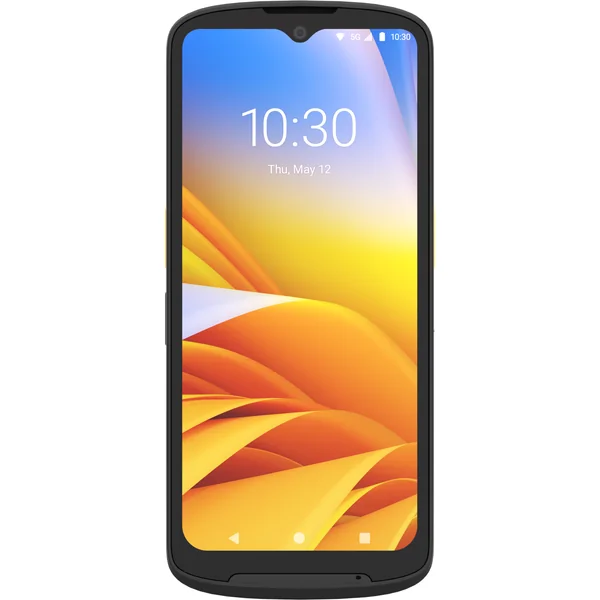
Identity Guardian is a solution that enables secure and simple device login and application access. It is a multi-factor authentication solution for both shared or personal enterprise devices that can leverage facial biometric data stored within a barcode, with idP integration among common SSO providers.
Buy Zebra Identity Guardian from BackUp BarCode Systems, Inc.
Mobile Computer Software (3)
Identity Guardian Simple and secure mobile device authentication Table of contents Simple and secure mobile device authentication Page 3 System overview Page 4 Frictionless authentication Page 4 System overview Page 5 Frictionless authentication Page 5 Admin functionality Page 5 Guardian Safe Page 6 Configurability Page 6 Security Page 6 Data storage Page 6 Security of data at rest Page 7 Data stored on device Page 8 Data stored on cloud Page 9 Data transmission Page 10 Device API security Page 10 Security measures and audits Page 10 FAQs Page 11 Hosting Page 11 Access control Page 11 Disaster recovery Page 11 Cryptography Page 12 Certifications and compliance Page 12 3 Simple and secure mobile device authentication Identity Guardian offers secure, personalized access to mobile devices and applications for both shared and personally assigned device deployments. Leveraging facial biometrics and multifactor login, it protects personal information and corporate data while providing a seamless and efficient sign-in experience. Key features and benefits In today’s rapidly evolving digital landscape, where data breaches and unauthorized access pose significant threats, Identity Guardian provides a dependable and effective solution. It strengthens your security measures and boosts user productivity by minimizing time spent on repetitive logins. This innovative tool seamlessly integrates into your existing systems, providing advanced yet user- friendly security. Simplified application authentication Integration with identity providers (IdPs) enables single sign-on (SSO), streamlining the login process which can help seamlessly log in to other apps on the device and reducing user frustration. Facial biometrics Effortlessly and securely unlock mobile devices with the same ease as personal cellphones. This enhances the user experience by providing a familiar and quick authentication method. Personal data protection Multiple layers of security safeguard employees’ personal data on both shared and personally assigned devices. Multifactor authentication Enhance security by employing multiple authentication factors for device access, minimizing the risk of unauthorized access and theft. Personalization Create unique, role-based user experiences on devices, tailoring the interface to meet specific user needs and improving overall efficiency. Accountability and visibility Administrators gain comprehensive visibility into device usage and associated users, tracking device sign-ons and sign-outs through the Zebra DNA™ Cloud platform. Enablement via API Allow other applications installed on the device to interact with and gather information from Identity Guardian, providing opportunity for integrated workflows, and more. System overview Frictionless authentication Identity Guardian is a cutting-edge solution offering convenient and secure user login for both shared and personally assigned enterprise mobile devices, ensuring top-tier protection and privacy for user and corporate data. User enrollment Creation of User Barcode: During enrollment, a user barcode is generated based on the entered user data and captured facial vectors. This data is encrypted using the customer public key before being stored in the barcode.
User Authentication: Authentication can use one or more factors, such as a scheme that includes only facial recognition.
Capture Facial Vector Data: The user captures their facial vector data live using the camera Share mode Identity Guardian is perfectly tailored for shared environments, ensuring smooth integration without compromising security. Scalability is limitless, enabling every enterprise device to recognize each user seamlessly. Personal mode Identity Guardian seamlessly adapts to personally assigned mobile devices, providing a hassle-free setup for individual users akin to using a personal cellphone.
Identity Guardian surpasses standard consumer solutions by providing advanced professional capabilities. User creates a personla login profile which is encrypted in a barcode User in assigned a device User picks up any available device to start their shift User creates a personal login that is stored on the device User scans their barcode and shows their face to log in When the device screen locks, the user simply shows their face to log in User in signed into the device 4 Shared Face authentication Admin functionality Identity Guardian allows the user to log in to the device using Face Authentication.
Enrollment: The process of capturing users’ facial vectors and storing on a barcode. Authentication: The process of authentication of user using the data stored on the barcode and comparing with the user’s facial vectors. The live-captured facial vector data is compared to the data stored in the barcode. If the data matches, the device is either unlocked or advances to the next level of authentication as configured by the administrator. This combination of AES-128 and RSA-2048 provides an enhanced level of security. Even if a hacker were to obtain the encrypted facial data stored on the barcode, they would not be able to decrypt it to identify the person behind that data, as they would not have access to the private key. Note: For true 2-factor authentication, add a PIN or Single Sign On in addition to the facial vector comparison. Liveness detection The AI-based liveness detection algorithm differentiates between genuine human features (such as a real iris or face) and fraudulent attempts (such as spoof attacks using masks, photos, or videos).
Active Liveness Detection: Requires user actions, such as moving or turning their head.